EasyManua.ls Logo

AOC E2260PWHU - User Manual

AOC E2260PWHU
97 pages
Print Icon
To Next Page IconTo Next Page
Loading...
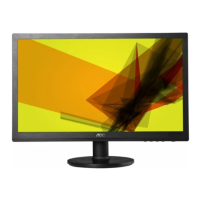
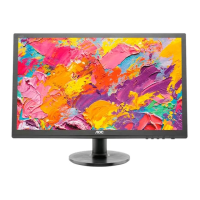
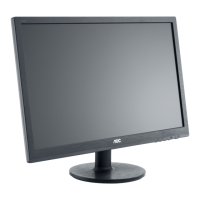
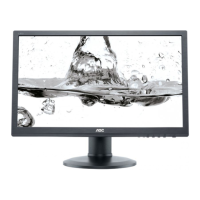
21.5" LCD Color Monitor AOC E2260PWHU/E2260SWHU
Service
Service
Service
Horizontal Frequency
30-83 KHz
Table of Contents
Description Page Description Page
SAFETY NOTICE
ANY PERSON ATTEMPTING TO SERVICE THIS CHASSIS MUST FAMILIARIZE HIMSELF WITH THE CHASSIS
AND BE AWARE OF THE NECESSARY SAFETY PRECAUTIONS TO BE USED WHEN SERVICING
ELECTRONIC EQUIPMENT CONTAINING HIGH VOLTAGES.
Table of Contents.......……..............................……........1
Revision List.…........................................…………........2
Important Safety Notice.……............................……......3
1.Monitor Specification..............................………..........4
2.LCD Monitor Description……………………………......5
3.Operation Instruction…………...............……..............6
3.1.General Instructions...........................…...................6
3.2.Hot Keys…………….…..............……...............6
3.3.OSD Setting…………….…...........................…......7
4.Input/Output Specification............……………............23
4.1.Input Signal Connector............………….................23
4.2.Factory Preset Display Modes…….........................25
4.3.Panel Specification.....………...…………................26
5.Block Diagram…….........………….................29
6.Schematic……………........................................30
6.1.Main Board………...........................................30
CAUTION: USE A SEPARATE ISOLATION TRANSFOMER FOR THIS UNIT WHEN SERVICING
6.2.Key Board...…….............................................37
6.3.USB Board...……............................................38
6.4.Power Board...……........................................39
7.PCB Layout..………….......................................41
7.1.Main Board………...........................................41
7.2.Key Board…………….....................................42
7.3.USB Board……………....................................42
7.4.Power Board...…….........................................42
7.5. Power Board...……........................................43
7.6. USB Board...……........................................44
8.Maintainability……….........................................45
8.1.Equipments and Tools Requirement...............45
8.2.Trouble Shooting………….............................46
9.White-Balance, Luminance Adjustment.............50
10.Monitor Exploded View………..…….…............52
11.BOM List…………………………………...........56

Questions and Answers

  • J
    Jennifer RodriguezAug 10, 2025
    What to do if AOC E2260PWHU is dim?
    • W
      William MccannAug 11, 2025
      If your AOC Monitor screen is dim, here are a few things you can try: 1. Perform a factory reset. 2. Set the monitor to the optimal or recommended frequency. 3. Readjust the phase and pixel clock in the user mode. 4. Disconnect the signal cable to check if the 'Self Test Feature Check' is OK. If none of these steps work, the main board or the panel might need to be replaced.
  • S
    Seth DoyleAug 18, 2025
    How to troubleshoot no power on AOC E2260PWHU?
    • E
      Edward WilliamsAug 18, 2025
      If your AOC Monitor has no power, try these steps: * Ensure the power cable is securely tightened. * Turn on the power switch. If the monitor still doesn't power on, it might be necessary to replace the main board or the keyboard, checking all connections during the replacement.
  • J
    Jessica SpencerAug 26, 2025
    What to do if there is no video on AOC E2260PWHU Monitor (Power LED White)?
    • R
      Rachael PetersonAug 26, 2025
      If your AOC Monitor has no video but the power LED is white, you can try the following: * Press the power button. * If that doesn't work, the main board, LVDS/FFC cable, panel, or keyboard might need to be replaced. Check all connections during the replacement.
  • D
    denise37Sep 1, 2025
    How to fix color is not optimal on AOC E2260PWHU Monitor?
    • L
      lwoodsSep 1, 2025
      If the color on your AOC Monitor isn't optimal, you can try the following: * Adjust the color settings in the user mode until you are satisfied. * Disconnect the signal cable to see if the screen color displays normally. If not, consider replacing the signal cable or testing with a different PC. * As a last resort, the main board might need replacement.

Summary

Service Manual

Important Safety Notice

Critical safety precautions and warnings for service personnel.

Monitor Specifications

Technical Specifications

Detailed specs including panel, resolution, physical, and environmental characteristics.

Operating Instructions

OSD Settings and Adjustments

Detailed guide to navigating and adjusting On-Screen Display menus.

Input;Output and Panel Details

Maintainability and Troubleshooting

Troubleshooting Common Issues

Diagnostic flowcharts for power, video, dim, and color problems.

Advanced Adjustments

Parts Information

AOC E2260PWHU Specifications

General IconGeneral
BrandAOC
ModelE2260PWHU
CategoryMonitor
LanguageEnglish

Related product manuals