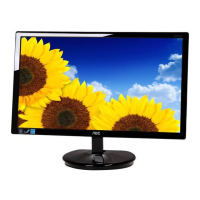
EasyManua.ls Logo

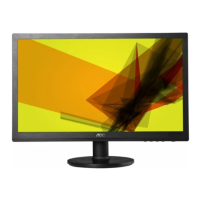
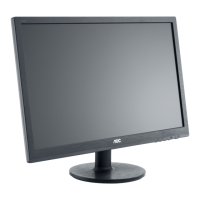
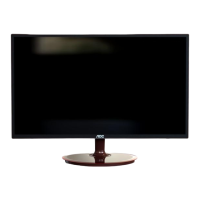
AOC E2261Fwh - User Manual

AOC E2261Fwh
56 pages
Print Icon
To Next Page IconTo Next Page
Loading...
LED Backlight
E2261FW/E2261FWH
E2461FW/E2461FWH

Other manuals for AOC E2261Fwh

Questions and Answers

  • S
    Sharon Lozano MDAug 12, 2025
    Why is there no video on my AOC E2261Fwh Monitor but the power LED is blue?
    • L
      Lisa BowersAug 12, 2025
      If your AOC monitor's power LED is blue but there's no video, ensure the power button functions correctly. If not, consider replacing the main board or converter board. Also, check the LVDS/FFC cable or panel, and replace the LVDS/FFC if necessary.
  • W
    walldarrenAug 20, 2025
    How to fix a DIM display on my AOC E2261Fwh?
    • C
      Cody CisnerosAug 20, 2025
      To address a dim display on your AOC monitor: First, reset to factory mode. Then, set the monitor to its optimal or recommended frequency. Readjust the phase and pixel clock in user mode. Check the signal cable and the PC. If the issue persists, the main board or panel may need replacement.
  • K
    Kristy HarringtonAug 27, 2025
    What to do if the color is not optimal on my AOC E2261Fwh Monitor?
    • J
      Joan BrownAug 27, 2025
      If the color on your AOC monitor isn't optimal, try these steps: Adjust the color settings in user mode. Disconnect the signal cable to see if the screen's color display is normal. If problems persist, replace the signal cable or PC, or consider replacing the main board.
  • R
    Ronald GriffinSep 3, 2025
    What to do if my AOC E2261Fwh Monitor has no power?
    • C
      Christopher MartinezSep 4, 2025
      If your AOC monitor isn't powering on, try these steps: Ensure the power cable is securely connected. Activate the power switch. Verify the LED indicator's status. If those steps don't work, consider replacing the converter board, main board, or keyboard, checking connections each time.

AOC E2261Fwh Specifications

General IconGeneral
Screen Size21.5 inches
Resolution1920 x 1080
Panel TypeTN
Brightness250 cd/m²
Contrast Ratio1000:1
Response Time5 ms
ConnectivityVGA, DVI
Dynamic Contrast Ratio20, 000, 000:1
Aspect Ratio16:9
Viewing Angle170° (H) / 160° (V)
Weight3.2 kg
Refresh Rate60 Hz

Related product manuals