65
1.Double-click the icon “
” to install Port95nt print driver, and then restart the computer.
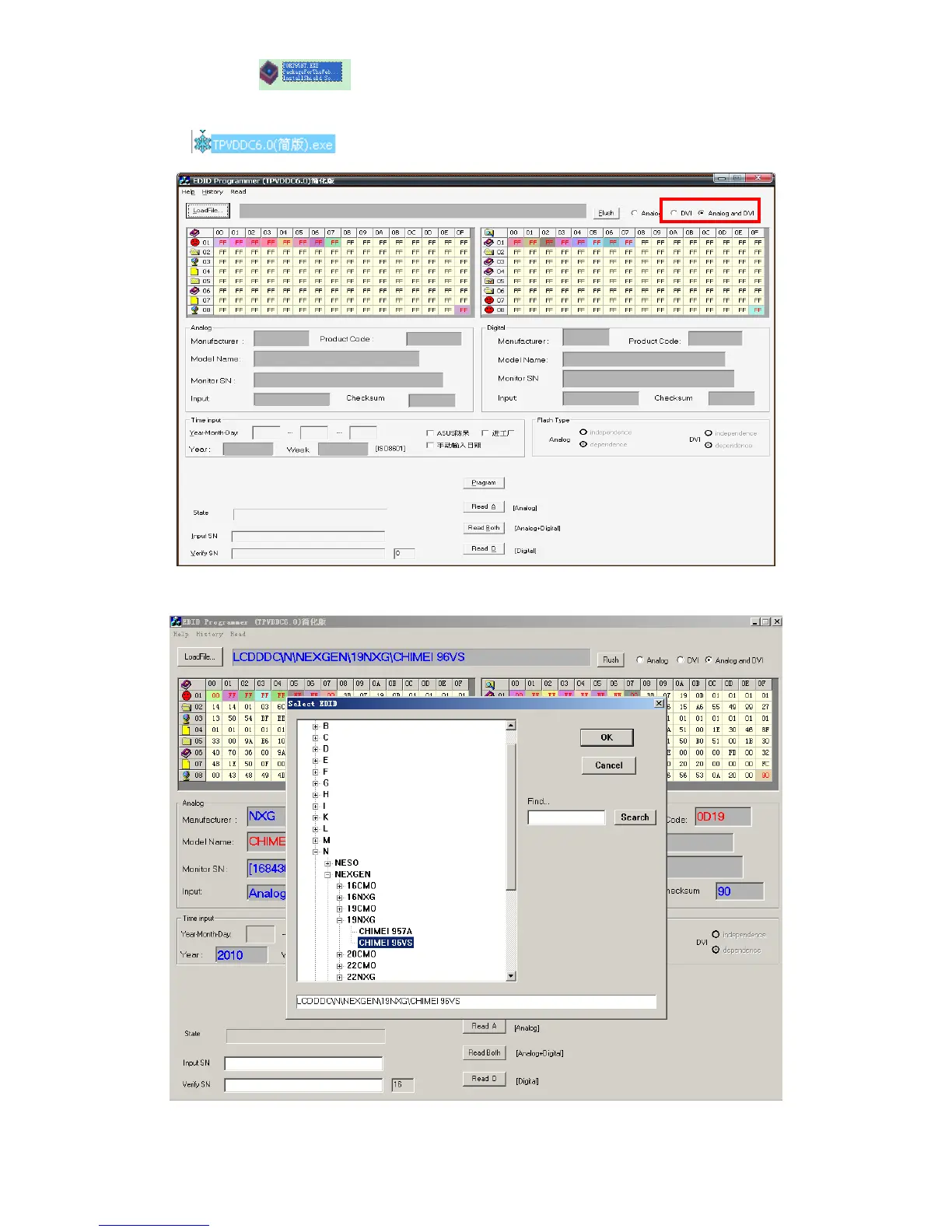
Double-click
, select “Analog and DVI” show as follow picture
2. Click “Load file” and select as follow picture.then click “LCDDDC”
EX: DDCModelName:CHIMEI96VS
3. Click “ok” show as follow picture.


 To Next Page