EasyManua.ls Logo

AOC E2495SD - User Manual

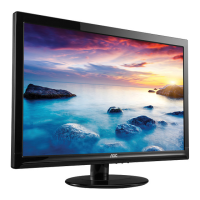
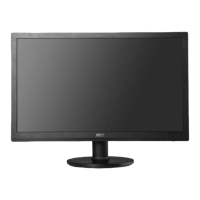
AOC E2495SD
55 pages
Print Icon
To Next Page IconTo Next Page
Loading...
LCD Monitor User Manual
www.aoc.com
©2012 AOC.All Rights Reserved.
E2495SD /E2495SH
LED Backlight

Other manuals for AOC E2495SD

Questions and Answers

  • K
    Kylie MoralesAug 1, 2025
    How to fix AOC Monitor when it has no power?
    • G
      garzajerryAug 1, 2025
      If your AOC Monitor isn't powering on, try these steps: * First, ensure the power cable is securely plugged in. * Next, check that the Power “On/Off” switch is turned on. * If the issue persists, it may require replacing the power board, main board, or keyboard, and checking their connections.
  • K
    kennethserranoAug 9, 2025
    What to do if my AOC E2495SD has no video but the power LED is blue?
    • S
      Sandra Cunningham DVMAug 9, 2025
      If your AOC Monitor's power LED is blue but there's no video, here's what you can do: 1. Press the power button. 2. Consider replacing the main board, power board, or keyboard. 3. Also, check the LVDS/FFC cable or panel for any issues.
  • C
    Caitlin RiveraAug 16, 2025
    How to fix a DIM display on my AOC E2495SD Monitor?
    • C
      Curtis IngramAug 16, 2025
      If your AOC Monitor screen is dim, try the following: 1. Reset the monitor to factory mode. 2. Set the monitor to the optimal or recommended frequency. 3. Readjust the phase and pixel clock in the user mode. 4. Verify the “Self Test Feature Check” is functioning correctly. 5. If problems persist, consider replacing the main board or the panel.
  • H
    hsmithAug 23, 2025
    Why is the color not optimal on my AOC Monitor?
    • S
      Stephanie TurnerAug 25, 2025
      If the color on your AOC Monitor isn't optimal, consider these solutions: * Adjust the 'color settings' in the user mode to your preference. * Disconnect the signal cable to see if the screen color displays normally. * Try replacing the signal cable or testing with a different PC. * Replacing the main board might also resolve the issue.

Summary

Safety and Conventions

Notational Conventions

Explains notes, cautions, and warnings used in the manual.

Power Usage

Installation and Ventilation

Setup Guide

Connecting Monitor Cables

Cable Port Identification

Details cable connection ports for E2495SD/E2495SH and connection steps.

OS-Specific Display Settings

Monitor Hotkeys

On-Screen Display (OSD) Operation

Luminance Adjustment

Image Setup Options

Color Setup Options

Picture Boost Settings

OSD Configuration Settings

Extra Settings Menu

Monitor Driver Installation Guide

Troubleshooting Guide

Common Problem Solutions

Provides solutions for common issues like no image, fuzzy picture, and flickering.

Technical Specifications

General Specification Details

Details the technical specifications of the AOC monitor, including panel, resolution, and physical characteristics.

Preset Display Modes

Product Warranty Information

EU Limited Warranty

Details the limited three-year warranty for AOC LCD monitors sold in Europe.

North & South America Warranty

Outlines the warranty terms for AOC monitors sold in North and South America, excluding Brazil.

AOC EASE Program Details

AOC E2495SD Specifications

General IconGeneral
Screen Size24 inches
Resolution1920 x 1080
Panel TypeTN
Refresh Rate60 Hz
Response Time5 ms
Brightness250 cd/m²
Contrast Ratio1000:1
Dynamic Contrast Ratio20, 000, 000:1
Viewing Angles170° horizontal, 160° vertical
HDMINo
Aspect Ratio16:9
ConnectivityVGA, DVI
Power Consumption25 W

Related product manuals