EasyManua.ls Logo

AOC e960Swn - User Manual

AOC e960Swn
66 pages
Print Icon
To Next Page IconTo Next Page
Loading...
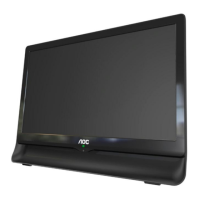
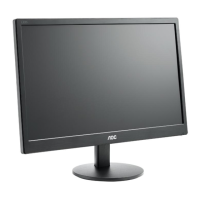
18.5" LCD Color Monitor AOC E960SWN
Service
Service
Service
Horizontal Frequency
30-60 KHz
Table of Contents
Description Page Description Page
SAFETY NOTICE
ANY PERSON ATTEMPTING TO SERVICE THIS CHASSIS MUST FAMILIARIZE HIMSELF WITH THE CHASSIS
AND BE AWARE OF THE NECESSARY SAFETY PRECAUTIONS TO BE USED WHEN SERVICING
ELECTRONIC EQUIPMENT CONTAINING HIGH VOLTAGES.
Table of Contents.......……..............................……........1
Revision List.…........................................…………........2
Important Safety Notice.……............................……......3
1.Monitor Specification..............................………..........4
2.LCD Monitor Description……………………………......5
3.Operation Instruction…………...............……..............6
3.1.General Instructions...........................…...................6
3.2.Hot Keys…………….…..............……...............6
3.3.OSD Setting…………….…...........................…......7
4.Input/Output Specification............……………............22
4.1.Input Signal Connector............………….................22
4.2.Factory Preset Display Modes…….........................23
4.3.Panel Specification.....………...…………................24
5.Block Diagram…….........………….................27
6.Schematic……………........................................28
CAUTION: USE A SEPARATE ISOLATION TRANSFOMER FOR THIS UNIT WHEN SERVICING
6.1.Main Board………...........................................28
6.2.Key Board...…….............................................32
6.3.Power Board...……........................................33
7.PCB Layout..………….......................................36
7.1.Main Board………...........................................36
7.2.Key Board…………….....................................38
7.3.Power Board...…….........................................39
7.4. Power Board...……........................................41
8.Maintainability……….........................................42
8.1.Equipments and Tools Requirement...............42
8.2.Trouble Shooting………….............................43
9.White-Balance, Luminance Adjustment.............47
10.Monitor Exploded View………..…….…............49
11.BOM List…………………………………...........51

Questions and Answers

  • B
    Benjamin RosalesAug 1, 2025
    What to do if my AOC e960Swn Monitor has no power?
    • L
      Larry WrightAug 2, 2025
      If your AOC monitor isn't powering on, make sure the power cable is securely tightened. Also, check that the power switch is in the "On" position. If these steps don't work, it might be necessary to replace the main board or keyboard, ensuring all connections are properly made.
  • J
    Jennifer AndersonAug 11, 2025
    What to do if my AOC e960Swn has no video but the power LED is white?
    • C
      chelsea82Aug 12, 2025
      If your AOC monitor's power LED is white but there's no video, first ensure the power button is functioning correctly. If the issue persists, consider replacing the main board, the LVDS/FFC cable or panel, or even the keyboard.
  • D
    David MitchellAug 21, 2025
    How to fix a DIM image with overlap or flicker on my AOC Monitor?
    • J
      jamiehessAug 22, 2025
      To address a dim image with overlap, focus issues, or flicker on your AOC monitor, try resetting to factory mode. Also, set the monitor to the optimal or recommended frequency. You can also readjust the phase and pixel clock in the user mode. If these steps don't resolve the problem, replacing the main board or the panel might be necessary.

Summary

Important Safety Notice

3. Operating Instructions

3.3 OSD Setting

Guide to navigating and adjusting On-Screen Display settings.

OSD Setup

Extra

5. Block Diagram

6. Schematic

6.1 Main Board

Provides the schematic diagram for the main circuit board.

6.3 Power Board

Shows the schematic diagram for the power board.

8. Maintainability

8.1 Equipments and Tools Requirement

Lists the necessary equipment and tools for performing maintenance.

8.2 Trouble Shooting

1. No Power

Troubleshooting steps for when the monitor does not power on.

2. No Video (Power LED White)

Troubleshooting steps for when the monitor shows no video output.

9. White- Balance, Luminance Adjustment

AOC e960Swn Specifications

General IconGeneral
Aspect ratio-
Display diagonal18.5 \
Display resolution1366 x 768 pixels
Viewing angle, vertical50 °
Contrast ratio (dynamic)20000000:1
Contrast ratio (typical)600:1
Display number of colors16.78 million colors
Viewing angle, horizontal90 °
Digital vertical frequency50 - 76 Hz
Digital horizontal frequency30 - 60 kHz
Display brightness (typical)200 cd/m²
Display viewable area (HxV)409.8 x 230.4 mm
Tilt angle range5 - 20 °
Panel mounting interface100 x 100 mm
AC input voltage90 - 240 V
AC input frequency50 - 60 Hz
Power consumption (standby)0.5 W
Power consumption (typical)18 W
CertificationTCO 5.2, CE/CB, cTUVus, FCC, CCC, EPA 5.2, CH RoHS, CEL 1
Product colorBlack
Compliance industry standardsDDC2B, DDC2B/CI
Sustainability certificatesEPEAT Gold, ENERGY STAR
Package depth114 mm
Package width493 mm
Package height422 mm
Package weight3200 g
Weight and Dimensions IconWeight and Dimensions
Depth (without stand)185 mm
Width (without stand)440 mm
Height (without stand)346 mm
Weight (without stand)2080 g

Related product manuals