9
Wall-mount instruction
Preparing To Install The Optional Wall Mount Arm (not included)
This TV can be attached to a wall mounting arm you can purchase separately.
Turn the power OFF then disconnect the cables from the TV before performing the procedure below.
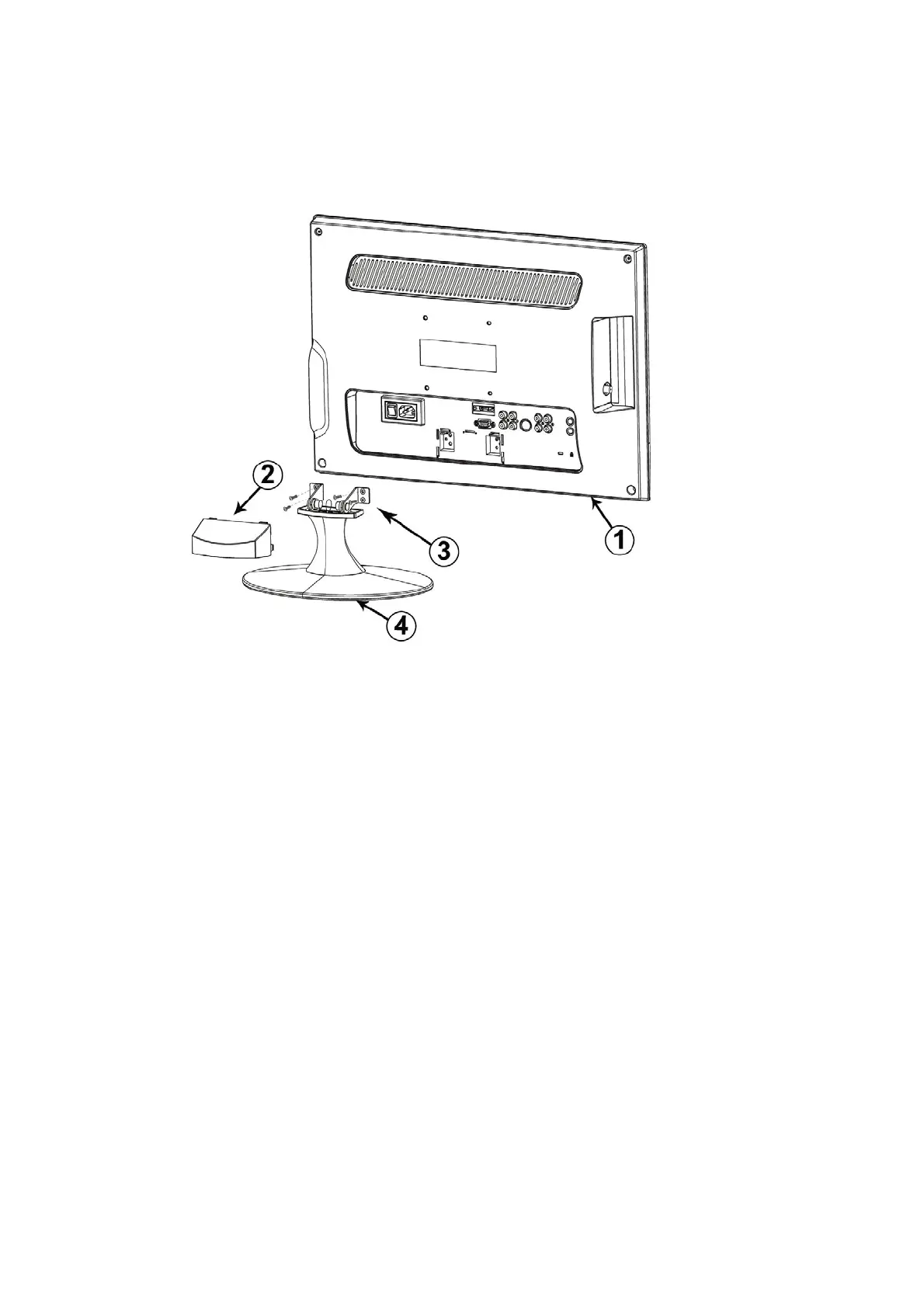
1. Lay the TV face down on a soft surface.
2. Remove the hinge cover.
3.Remove the 4 screws holding the stand to the hinge.
4.Remove the stand.


 To Next Page
 Loading...