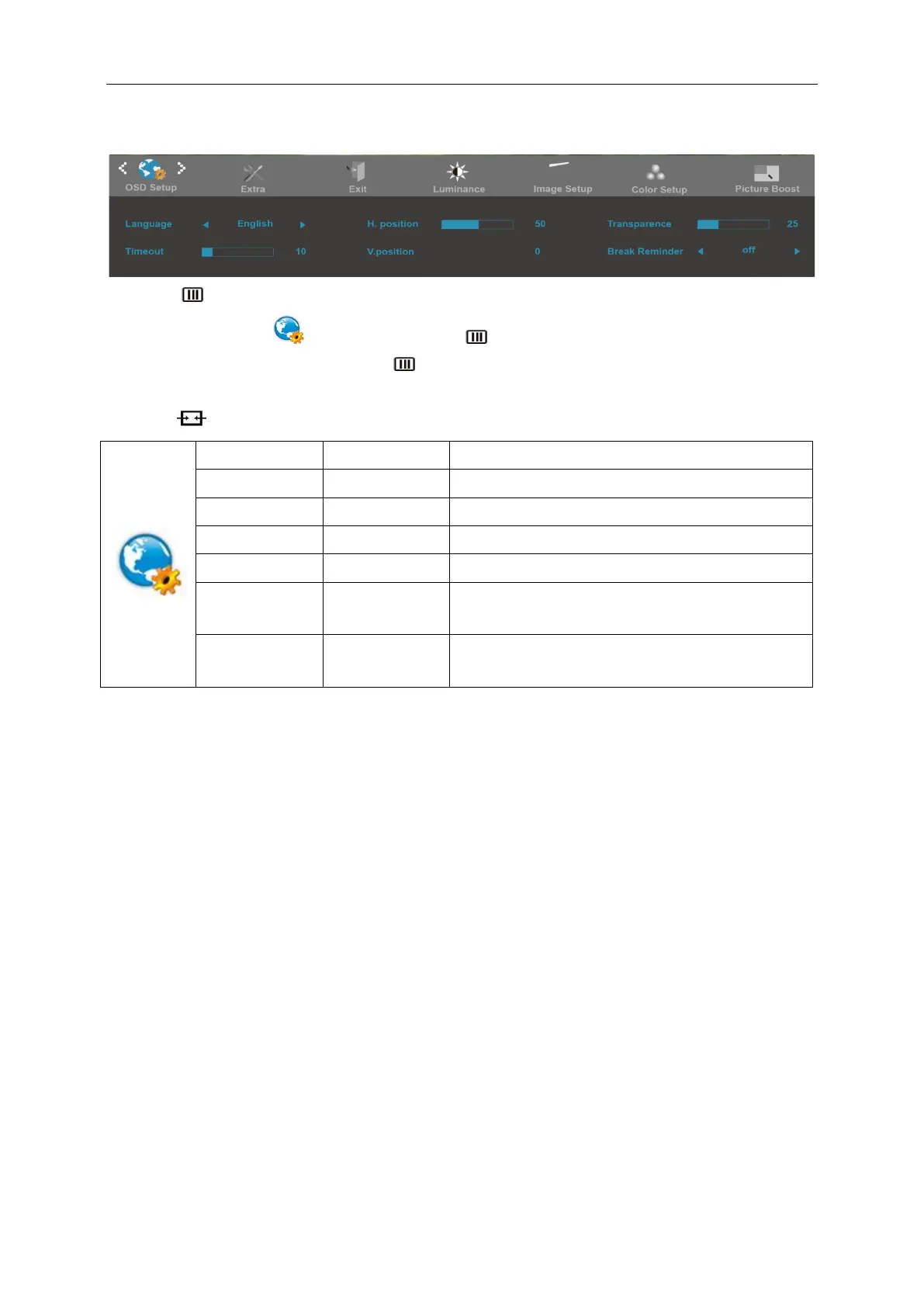
OSD Setup
1. Press (Menu) to display menu.
2. Press< or >to select (OSD Setup), and press to enter.
3. Press< or >to select submenu, and press to enter.
4. Press< or >to adjust.
5. Press to exit.
Adjust the horizontal position of OSD
Adjust the vertical position of OSD
Adjust the transparence of OSD
Break reminder if the user continuously work for more
than 1hrs
please be noted that only DP1.2 support free sync
function


 To Next Page
 Loading...