EasyManua.ls Logo

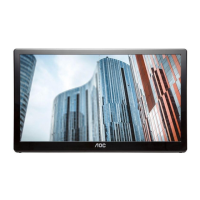
AOC I1659FWUX - User Manual

AOC I1659FWUX
31 pages
Print Icon
To Next Page IconTo Next Page
Loading...
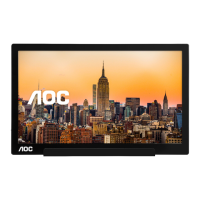
USB Monitor User Manual
I1659FWUX
www.aoc.com
6 AOC. All Rights Reserved.
Questo manuale d’istruzione è fornito da trovaprezzi.it. Scopri tutte le offerte per AOC i1659FWUX o
cerca il tuo prodotto tra le migliori offerte di Monitor

Questions and Answers

  • J
    Juan JonesJul 28, 2025
    What to do if the AOC I1659FWUX screen is blank but the computer is on?
    • J
      Jeffrey ChristensenJul 28, 2025
      If your AOC monitor screen is blank even though your computer is on, ensure the USB cable is correctly connected to the computer and that the computer is actually on and working. The computer might be in sleep or power-saving mode, or displaying a blank screen saver. Try moving the mouse to wake it up.
  • M
    Melinda BradleyAug 11, 2025
    What to do if I cannot play DVDs using the Third-Party DVD player program on my AOC I1659FWUX?
    • T
      Timothy ThompsonAug 11, 2025
      Use the Media Player included in your operating system to play DVDs if you're having trouble with a third-party DVD player program on your AOC monitor.

Summary

Safety and Conventions

Installation

Installation Precautions and Placement

Provides instructions on safe monitor placement and ventilation requirements.

Other

Setup Stand

Proper Stand Installation

Instructions for correctly setting up the monitor stand on a flat surface.

Adjusting Viewing Angle

Connecting the Monitor

PC Connection and Software Priority

Details connecting the monitor to a PC, stressing software installation first.

Installation of USB Graphic software

Windows 8 Software Setup

Step-by-step guide for installing the USB Graphic software on Windows 8.

Installation of USB Graphic software (Cont.)

Windows 7 Software Setup

Step-by-step guide for installing the USB Graphic software on Windows 7.

Installation of USB Graphic software (Final)

Setting the USB Monitor

Setting Display Options

Instructions on configuring display settings like resolution and orientation.

To Control the Display

Using DisplayLink Manager

Details on managing display settings and modes via the system tray icon.

Disconnecting the USB Monitor

PC Requirements

Windows OS Hardware Requirements

Graphics Card Support

Troubleshooting

Problem Solving Guide

Provides solutions for common problems like monitor not turning on or blank screen.

Specification

General Technical Specifications

Lists detailed technical specs including panel, resolution, dimensions, and power.

Service

Warranty Statement for Middle East and Africa (MEA)

Warranty Statement for North & South America

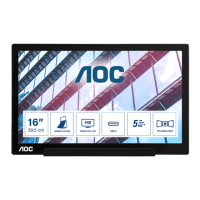
AOC I1659FWUX Specifications

General IconGeneral
Colorpiano black, black
Screen Typeled
Tiltableyes
Touch Screenno
Webcamyes
OS Compatibilitywindows
Screen Size16 inches
Panel Typeips
Aspect Ratio16:9
Resolution1920 x 1080
Native Resolution1920 x 1080
Refresh Rate60hz
Horizontal Viewing Angle160 degrees
Vertical Viewing Angle160 degrees
Response Time25 milliseconds
Brightness220 candela per square meter
Contrast Ratio700:1
Synchronizationnot applicable
HDRno
Built-In Speakersno
HDMI Ports0
USB Ports1 x usb-c 3.0
Headphones Outputno
Power Saving Mode0.5 watts
Power Consumption8 watts
Width with Stand14.6 inches
Net Weight without Stand2.7 pounds

Related product manuals