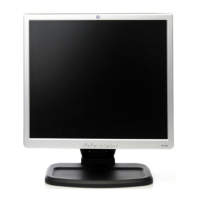
LM914
5
INSTALLATION INSTRUCTIONS
SWIVEL BASE
Install Remove
Figure 1 Installing and Removing the Swivel Base
POWERCORD
Power Source:
1. Make sure that the power cord is the correct type required in your area.
2. This LCD monitor has an External universal power supply that allows
operation in either 100/120V AC or 220/240V AC voltage area (No user
adjustment is required.)
3. Connect the AC-power cord into your LCD monitor’s External Adapter
input socket, and then plug the other end of External adapter to LCD
monitor’s DC-power-input. The AC-power cord may be connected to either
a wall power outlet or the power outlet socket on your PC, depending on
the type of power cord supplied with your LCD monitor.
NOTES
A certified power supply cord has to be used with this equipment. The
relevant national installation and/or equipment regulations shall be
considered. A certified power supply cord not lighter than ordinary polyvinyl
chloride flexible cord according to IEC 60227 (designation H05VV-F 3G
0.75mm
! or H05VVH2-F2 3G 0.75mm! ) shall be used. Alternative a flexible
cord be of synthetic rubber according to IEC 60245 (designation H05RR-F 3G
0.75mm
! ) shall be used.
INSTALLATION INSTRUCTIONS



 To Next Page