Need help?
Do you have a question about the AOC Q27G2S/EU and is the answer not in the manual?
Describes notational conventions used in the document, including Notes, Cautions, and Warnings.
Explains the meaning of Notes, Cautions, and Warnings with icons and text formatting.
Guidelines for operating the monitor safely using the correct power source and avoiding hazards.
Instructions on proper placement, ventilation, and tilt angle to prevent damage and ensure safety.
Procedures for cleaning the monitor cabinet and screen safely, with precautions against damage.
Safety precautions related to unusual product behavior, ventilation, vibration, and handling.
Lists all items included in the product package, such as monitor, cables, and manuals.
Step-by-step instructions for assembling and disassembling the monitor stand and base.
Guidance on how to adjust the monitor's tilt angle for optimal viewing and to prevent damage.
Instructions for physically connecting the monitor to a computer, including cable types and ports.
Steps for attaching the monitor to a wall mounting arm, including preparation and precautions.
Information about compatible graphics cards and drivers required for the G-SYNC feature.
Explanation of the function of each hotkey button on the monitor for quick access to features.
Basic instructions on how to navigate and use the On-Screen Display (OSD) menu.
Details on adjusting brightness, contrast, gamma, DCR, and HDR settings via the OSD.
Instructions for adjusting color temperature, DCB mode, and RGB gain for optimal color display.
Guide to using the Picture Boost feature to adjust frame size, brightness, and contrast.
Advanced OSD settings including language, timeout, position, transparency, and break reminder.
Configuration options for gaming, including game modes, shadow control, low input lag, and G-SYNC.
Settings for input selection, off timer, image ratio, DDC/CI, and reset options.
Instructions on how to exit the OSD menu and information about the LED indicator status.
Explanation of the LED indicator colors and their corresponding status modes (Full Power, Active-off).
Common problems like no power, no image, fuzzy picture, and their potential solutions.
Information on how to find regulation and service details, referencing the CD manual or website.
Detailed technical specifications of the monitor, including panel, connectivity, and environmental data.
List of supported resolutions and their corresponding horizontal and vertical frequencies for various modes.
Diagrams and lists of pin assignments for 19-pin and 20-pin color display signal cables.
Explanation of the Plug & Play DDC2B feature and its role in monitor-host communication.
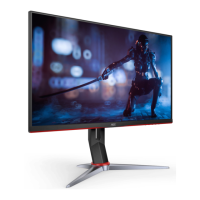
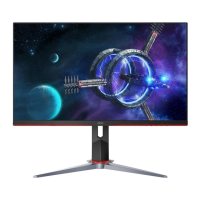
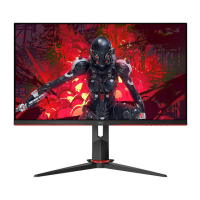
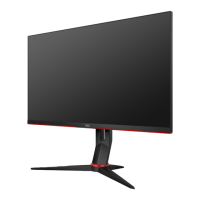
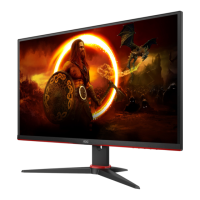
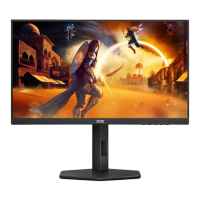
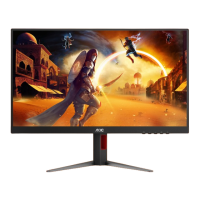
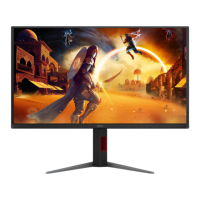
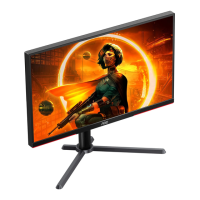
This document serves as the user manual for an AOC LCD Monitor, model Q27G2S/EU, providing comprehensive instructions for its setup, operation, and maintenance. The monitor is designed for a variety of uses, from general computing to gaming, offering features that enhance visual experience and user comfort.
The AOC LCD Monitor Q27G2S/EU is a display device primarily used for visual output from a computer or other compatible sources. Its core function is to render images and video with high clarity and detail, supporting various resolutions and refresh rates to cater to different applications, including demanding gaming scenarios. The monitor incorporates several advanced features to optimize the viewing experience, such as G-SYNC compatibility for smoother gameplay, multiple display modes for different content types, and color adjustment options for accurate image representation.
The monitor's On-Screen Display (OSD) system allows users to control and customize various display parameters. This includes adjustments for luminance (contrast, brightness, eco modes, DCR, HDR), color setup (color temperature, DCB mode), picture boost (bright frame, frame size, position), OSD setup (language, timeout, DP capability, position, volume, transparency, break reminder), and game settings (game mode, shadow control, low input lag, game color, low blue mode, overdrive, G-SYNC, frame counter, MBR). These extensive controls enable users to fine-tune the monitor's performance to their specific preferences and the requirements of the content being displayed.
Connectivity is a key aspect of the monitor's functionality, featuring multiple input ports such as HDMI and DisplayPort, allowing it to connect to a wide range of devices. An earphone output is also included for audio convenience. The monitor is designed for both stand-alone use with its included base and for wall mounting, providing flexibility in placement.
The AOC LCD Monitor Q27G2S/EU is designed with user convenience and an optimized viewing experience in mind.
Adjusting Viewing Angle: The monitor offers ergonomic adjustments, including tilt, to ensure optimal viewing comfort. Users can adjust the monitor's angle to their preference, with a recommended range to avoid potential screen damage. The stand is designed to be stable during these adjustments.
Hotkeys for Quick Access: Dedicated hotkeys provide quick access to frequently used functions without navigating through the full OSD menu. These include Source/Exit, Game Mode, Dial Point, Menu/Enter, and Power. The Game Mode hotkey, for instance, allows users to cycle through various pre-set game modes (FPS, RTS, Racing, Gamer 1, Gamer 2, Gamer 3) tailored for different gaming genres, optimizing visual settings for each. The Dial Point feature can be activated or deactivated via a hotkey, offering an on-screen crosshair for improved aiming in games.
OSD Settings for Customization: The comprehensive OSD menu is the central hub for customizing the monitor's display.
G-SYNC Functionality: The monitor supports NVIDIA G-SYNC, which synchronizes the display's refresh rate with the GPU's frame rate. This eliminates screen tearing and minimizes display stutter and input lag, providing a smoother and more immersive gaming experience. Users need a compatible NVIDIA GeForce graphics card and driver to utilize this feature.
Plug and Play (DDC2B): The monitor is equipped with VESA DDC2B capabilities, allowing it to communicate its identity and display capabilities to the host system automatically. This simplifies setup and ensures optimal display settings are applied without manual configuration.
Proper maintenance ensures the longevity and optimal performance of the AOC LCD Monitor Q27G2S/EU.
Cleaning: Regular cleaning of the monitor cabinet and screen is recommended. For the cabinet, a soft cloth with a mild detergent can be used to remove stains, avoiding strong detergents that could damage the plastic. When cleaning the screen, it's crucial to use a soft cleaning cloth and avoid harsh detergents or excessive force, as this can scratch the screen surface. Importantly, the power cord should always be disconnected before cleaning the product to prevent electric shock.
Installation and Ventilation: The manual emphasizes correct installation to prevent damage and ensure proper air circulation. When installing with a stand, sufficient space around the monitor (at least 4 inches/10cm on sides and top, 12 inches/30cm at the back) is required to prevent overheating. For wall mounting, users must follow the manufacturer's instructions for the mounting kit and ensure proper ventilation. The monitor should not be placed on unstable surfaces, and care should be taken when moving a product and cart combination.
Handling and Protection: Users are advised to handle the monitor with care. Avoid pushing objects into the cabinet slots, spilling liquids on the monitor, or placing the front of the product on the floor. During operation or transportation, the monitor should not be subjected to severe vibration or high impact. When adjusting the viewing angle, users should grasp only the bezel and avoid touching the LCD screen directly to prevent damage. It's also critical to ensure the monitor does not tilt downward by more than -5 degrees to prevent panel peeling, which would not be covered under warranty.
Power Management: The monitor should only be operated from the specified power source indicated on its label. It is equipped with a three-pronged grounded plug for safety, and users are advised to ensure their power outlet is properly grounded or use an appropriate adapter. Unplugging the unit during lightning storms or prolonged periods of disuse protects it from power surges. Overloading power strips and extension cords should be avoided to prevent fire or electric shock. The wall socket should be easily accessible.
Troubleshooting Guidance: The manual includes a troubleshooting section to help users resolve common issues such as the power LED not turning on, no images on the screen, fuzzy pictures, flickering, or color defects. This section provides possible solutions, including checking power connections, signal cables, adjusting display settings, and ensuring monitor drivers are installed. For more complex issues or strange smells, sounds, or smoke, users are instructed to immediately disconnect the power plug and contact a service center.
Environmental Considerations: The manual implicitly promotes responsible use by detailing power consumption in various modes and providing operating and non-operating temperature, humidity, and altitude ranges, suggesting the monitor is designed for durability within these environmental conditions. The "Break Reminder" feature also contributes to user well-being during extended use.
 General
| Screen Size | 27 inches |
|---|---|
| Resolution | 2560 x 1440 |
| Panel Type | IPS |
| Refresh Rate | 165 Hz |
| Response Time | 1 ms (MPRT) |
| Aspect Ratio | 16:9 |
| Brightness | 350 cd/m² |
| Contrast Ratio | 1000:1 |
| Color Support | 16.7 million |
| Adaptive Sync | AMD FreeSync Premium |
| VESA Mount | 100 x 100 mm |
| HDR | HDR10 |
| Ports | 2x HDMI 2.0, 1x DisplayPort 1.4 |
| Viewing Angle | 178°/178° |
| Color Gamut | 126% sRGB |

 To Next Page