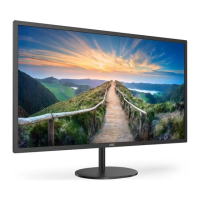
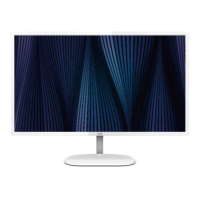
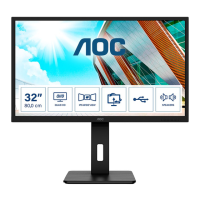
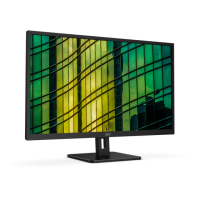
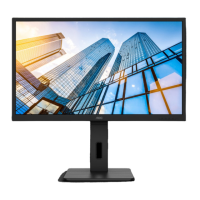
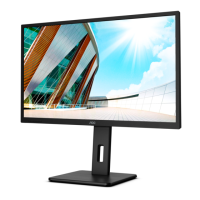
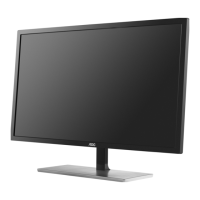
This document is a user manual for an AOC LCD Monitor, model Q32V5CE/BK. It provides comprehensive information on safety, setup, adjustment, troubleshooting, and specifications for the monitor.
Function Description:
The AOC Q32V5CE/BK is an LCD monitor designed for general computing and gaming. It features a range of input options including HDMI, DisplayPort (DP), and USB-C, allowing connectivity with various devices. The monitor supports Adaptive-Sync and AMD FreeSync technologies for a smoother gaming experience by synchronizing the display's refresh rate with the graphics card's frame rate, reducing screen tearing and stuttering. It also includes features like "Clear Vision" to enhance image clarity, "Picture Boost" for adjusting specific areas of the screen, and various "Eco Modes" for power saving and optimized viewing for different content types (Text, Internet, Game, Movie, Sports, Reading). The monitor's OSD (On-Screen Display) allows users to fine-tune settings such as luminance, color, and game-specific parameters.
Important Technical Specifications:
- Model Name: Q32V5CE/BK
- Driving System: TFT Color LCD
- Viewable Image Size: 80.0 cm diagonal
- Pixel Pitch: 0.2724mm(H) x 0.2724mm(V)
- Display Color: 16.7M Colors
- Horizontal Scan Range: 30k-140kHz (HDMI), 30k-114kHz (DP/USB C)
- Horizontal Scan Size (Maximum): 697.344mm
- Vertical Scan Range: 48-75Hz
- Vertical Scan Size (Maximum): 392.256mm
- Optimal Preset Resolution: 2560x1440@60Hz
- Max Resolution: 2560x1440@75Hz
- Plug & Play: VESA DDC2B/CI
- Power Source: 100-240V~, 50/60Hz, 2A
- Power Consumption:
- Typical (default brightness and contrast): 50W
- Max. (brightness = 100, contrast =100): ≤ 190W
- Standby Mode: ≤ 0.5W
- Connector Type: HDMI/DP/USB C/USB/Earphone
- Signal Cable Type: Detachable
- Operating Temperature: 0°~40°
- Non-Operating Temperature: -25°~55°
- Operating Humidity: 10%~85% (non-condensing)
- Non-Operating Humidity: 5%~93% (non-condensing)
- Operating Altitude: 0~5000 m (0~16404ft)
- Non-Operating Altitude: 0~12192m (0~40000ft)
- VESA Mounting: The manual indicates that VESA mounting screw holes are not available for all models, advising users to check with the dealer or official AOC department.
Usage Features:
- Adjusting Viewing Angle: The monitor's viewing angle can be adjusted from -5° to 23°. Users are advised to hold the stand to prevent toppling and avoid touching the LCD screen directly during adjustment to prevent damage.
- Hotkeys: The monitor features dedicated hotkeys for quick access to functions such as Source/Exit/Up, Eco/DCR/Down, Clear Vision/Left, Volume/Right, and Power/Menu/Enter.
- OSD Setting: A comprehensive OSD menu allows users to adjust various display parameters. Navigation is done using the Left, Right, and Menu buttons.
- Luminance: Adjusts Contrast, Brightness, Eco Mode (Standard, Text, Internet, Game, Movie, Sports, Reading), Gamma, DCR (Dynamic Contrast Ratio), and HDR Mode.
- Color Setup: Includes Color Temperature (Warm, Normal, Cool, sRGB, User), DCB Mode (Full Enhance, Nature Skin, Green Field, Sky-blue, Auto Detect), DCB Demo, Red/Green/Blue gain, and LowBlue Mode (Off, Reading, Office, Multimedia, Internet).
- Picture Boost: Allows adjustment of Bright Frame (On/Off), Frame Size, Brightness, Contrast, H. position, and V. position within a specific frame.
- OSD Setup: Configures Language, Timeout, DP Capability (1.1/1.2/1.4), H. Position, V. Position, USB (On/Off for power saving), Transparence, and Break Reminder.
- Game Setting: Offers Game Mode (Off, FPS, RTS, Racing, Gamer 1/2/3), Game Color, Shadow Control, Low Input Lag, Dial Point (On/Off for aiming indicator), Overdrive (Weak, Medium, Strong, Boost), Adaptive-Sync/AMD FreeSync (On/Off), Frame Counter, and MBR (Motion Blur Reduction).
- Extra: Provides Input Select, Off Timer, Image Ratio (Wide, 4:3, 1:1, movie1, movie2), DDC/CI (On/Off), and Reset to default settings.
- Adaptive-Sync/AMD FreeSync: These functions are available with HDMI, DP, and USB-C inputs and are compatible with specific AMD Radeon™ graphics cards and Ryzen™ processors, as listed in the manual.
- LED Indicator: The power LED is white for Full Power Mode and orange for Active-off Mode.
Maintenance Features:
- Cleaning: The cabinet should be cleaned regularly with a water-dampened, soft cloth. A soft cotton or microfiber cloth, damp and almost dry, should be used for cleaning, ensuring no liquid enters the case. The power cord must be disconnected before cleaning.
- Troubleshooting: The manual includes a detailed troubleshooting section addressing common issues such as the power LED not being on, no images on the screen, fuzzy pictures, flickering, monitor stuck in "Active Off-Mode," missing primary colors, improperly centered/sized images, color defects, and horizontal/vertical disturbances. Solutions often involve checking cable connections, power supply, video card settings, adjusting monitor controls, and installing drivers.
- Safety Precautions: Emphasizes operating the monitor from the specified power source, using grounded plugs, unplugging during lightning storms or prolonged non-use, avoiding overloading power strips, and using UL-listed computers. It also warns against pushing objects into slots, spilling liquids, placing the product face down, and blocking ventilation openings. Excessive sound pressure from earphones/headphones is also highlighted as a risk for hearing loss.

 Need help?

 To Next Page
 General