Need help?
Do you have a question about the AOC U34G3XM and is the answer not in the manual?
Describes notational conventions like Notes, Cautions, and Warnings used in the document.
Provides instructions for safe operation regarding power source, grounded plugs, and avoiding overloads.
Details safe installation practices, including placement, ventilation, and tilt angle limits to prevent damage.
Instructions for cleaning the monitor and general precautions for operation and handling.
Lists the items included in the monitor package, such as monitor, cables, and accessories.
Provides step-by-step instructions for assembling or removing the monitor's stand and base.
Guide on adjusting viewing angle and connecting the monitor to a PC.
Instructions for attaching the monitor to a wall mounting arm.
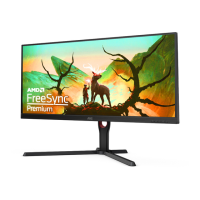
Information on AMD FreeSync Premium compatibility and usage.
Guide to enabling and using the High Dynamic Range (HDR) feature.
Explains the function of each physical button (hotkey) on the monitor for quick access.
Provides instructions on navigating the On-Screen Display (OSD) menu and basic operations.
Details OSD 'Luminance' settings like Contrast, Brightness, and Gamma.
Explains OSD 'Color Setup' options, including color temperature, DCB Mode, and color gains.
Describes the 'Picture Boost' function for adjusting frame brightness, size, contrast, and position.
Covers OSD settings like Language, Timeout, DP Capability, Position, Transparency, and Break Reminder.
Details Picture-in-Picture (PIP) and Picture-by-Picture (PBP) settings, including source selection.
Explains game-specific settings like Game Mode, Shadow Control, Low Blue Mode, and AMD FreeSync.
Covers miscellaneous settings such as Input Select, Off Timer, Image Ratio, DDC/CI, and Reset.
Provides a detailed overview of the monitor's general technical specifications and characteristics.
Lists various preset display resolutions and their corresponding horizontal and vertical frequencies.
Details the pin assignments for display signal cables.
Explains the monitor's VESA DDC2B capabilities for plug and play functionality.
This document serves as the user manual for an AOC Gaming LCD Monitor, model U34G3XM, providing comprehensive instructions for its setup, adjustment, and maintenance, alongside troubleshooting tips and safety guidelines.
The monitor is designed for a variety of uses, particularly catering to gaming with features like AMD FreeSync Premium and specific game modes. It supports HDR10 input signals, enhancing visual quality for compatible content. The monitor offers multiple input options, including HDMI and DisplayPort, ensuring broad compatibility with different computer systems and devices.
The AOC U34G3XM is an LCD monitor primarily intended for use with personal computers and other video output devices. Its core function is to display visual information, supporting a wide range of resolutions and refresh rates to accommodate various applications, from general computing to demanding gaming. The monitor integrates several technologies to optimize the viewing experience, such as HDR for improved contrast and color, and AMD FreeSync Premium for smoother gameplay by synchronizing the display's refresh rate with the graphics card's frame rate.
The monitor features an On-Screen Display (OSD) menu, accessible via physical buttons, which allows users to customize various display parameters. These parameters include luminance settings (contrast, brightness, eco mode, gamma, DCR, and HDR mode), color setup (color temperature, DCB mode), picture boost, OSD setup (language, timeout, DP capability, position, volume, transparence, break reminder), PIP settings (PIP/PBP mode, main/sub source selection, size, position, audio, swap), game settings (game mode, shadow control, low input lag, game color, low blue mode, overdrive, AMD FreeSync, frame counter, MBR), and extra settings (input select, off timer, image ratio, DDC/CI, reset).
Connectivity options are robust, including multiple USB 3.2 Gen1 ports (some with charging capabilities), a USB-PC upstream port, two HDMI ports, a DisplayPort, and an earphone out jack. This array of ports allows for flexible connections to various peripherals and video sources.
The AOC U34G3XM monitor is designed with user convenience and performance in mind.
Proper maintenance is essential to ensure the longevity and optimal performance of the AOC U34G3XM monitor.
By following these guidelines and utilizing the monitor's extensive features, users can enjoy a high-quality and customized visual experience with the AOC U34G3XM.
 General
| Screen Size | 34 inches |
|---|---|
| Resolution | 3440 x 1440 |
| Panel Type | VA |
| Refresh Rate | 144Hz |
| Aspect Ratio | 21:9 |
| Response Time | 1ms (MPRT) |
| Curvature | 1500R |
| Viewing Angle | 178° (H)/178° (V) |
| HDR | HDR10 |
| VESA Mount | 100x100mm |
| Brightness | 300 cd/m² |
| Contrast Ratio | 3000:1 |
| Connectivity | HDMI 2.0, DisplayPort |
| Adaptive Sync | FreeSync Premium |

 To Next Page