Inserting Batteries
1. Press the battery cover in while pushing it away
from the FT-8 transmitter or receiver. The battery
cover will snap open.
2. Remove the battery cover from the FT-8.
3. Insert AA batteries as shown inside the battery
compartment.
4. Replace the battery cover and push back into the
locked position.
Turning Transmitter and Receiver On/Off
1. To turn on the FT-8 transmitter or receiver - move
the power switch to the “ON” position.
2. To turn off the FT-8 transmitter or receiver - move
the power switch to the “OFF” position.
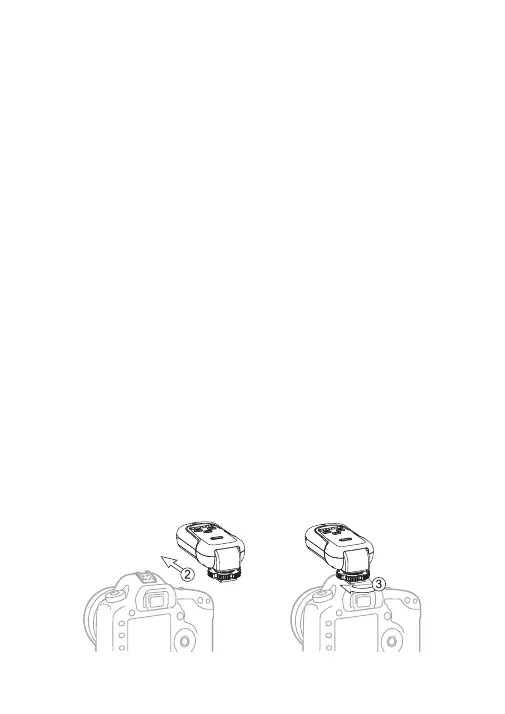
Connecting the FT-8 transmitter to the
camera hot shoe
1. Turn off the camera and FT-8 transmitter.
2. Slide the FT-8 transmitter into the camera’s hot
shoe mount.
3. Turn the FT-8 locking ring until tight.
4. Turn on the camera, FT-8 transmitter and set the
shooting mode of the camera to Manual.
• 5 •



 To Next Page