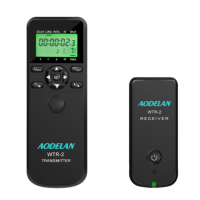
Function LED on WTR-2(T) / WTR-2(R) or TRS-1
The Function LED on the Timer WTR-2(T) or TRS-1 will:
1. Turn green when focusing.
2. Turn red when a photo is taken.
The Function LED on the Receiver WTR-2(R) will:
1. Flash green when the Receiver is powered on.
2. Turn to a solid green when a focus signal is received
from WTR-2(T).
3. Turn red when a photo is taken.
Connecting WTR-2(T) / WTR-2(R) or TRS-1 to a
camera
1. Turn off the unit and camera.
2. Attach a compatible Shutter Release Cable to WTR-
2(T) / WTR-2(R) or TRS-1.
3. Attach the other end to camera’s remote port.
4. Turn on the unit and camera.
Disconnecting WTR-2(T) / WTR-2(R) or TRS-1 from
the camera
1. Turn off the unit and camera.
2. Remove the Shutter Release Cable from the camera’s
remote port.
3. Remove the Shutter Release Cable from the unit.
• 9 •


 To Next Page