Need help?
Do you have a question about the AODELAN WTR-2 and is the answer not in the manual?
Read safety precautions carefully before using the product to ensure correct and safe use.
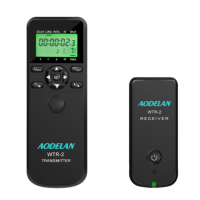
Lists and labels components of the timer unit, including LCD, buttons, and battery door.
Step-by-step guide for inserting AAA batteries into the timer and receiver units.
Instructions for turning the timer and receiver units on and off, including LED indications.
Steps for connecting the timer/receiver to a camera using a compatible shutter release cable.
Details functions like DELAY, LONG, INTVL, N, and BKLN within Timer mode.
How to set time for DELAY, LONG, INTVL, N, and BKLN using adjustment buttons.
How to initiate and terminate programmed timer functions using the Play/Stop button.
Guide to using BKLN for HDR images with exponentially changing exposure times.
Steps to pair the transmitter and receiver by setting a smart code for wireless communication.
 General
| Brand | AODELAN |
|---|---|
| Model | WTR-2 |
| Category | Remote Control |
| Type | Wireless Timer Remote Control |
| Power Supply | 2 x AAA batteries |
| Frequency | 2.4GHz |
| Material | Plastic |
| Color | Black |
| Channels | 16 |

 To Next Page