AOMWAY12VISIONSYSTEMS
WWW.AOMWAY.COM
Note:
1) Most HD display problem is caused by cable or
connector’squality issue. If you find HD input wrong,please
checkHDinputsourceorreplacethecable.
2) When switch to HD 2D/3D mode, RF modules will be
automaticallydeactivatedtoavoidinputsignalconflict.
8.AVIN/OUT
AVcableusingstandard3.5mm4‐poleAVjackconnector;
Yellow: Video, White: Audio Left, Red: Audio Right,
ShieldingCover:Ground;
AVinandAVoutarepassin gthroughthesameport.To
useAVin mode, need to switchoffRF,otherwise there is a
conflict;
Earphonejacksupportsstandard3.5mm3‐poleaudiojack
connector;volumecanbeadjustedbyadjustableearphone.
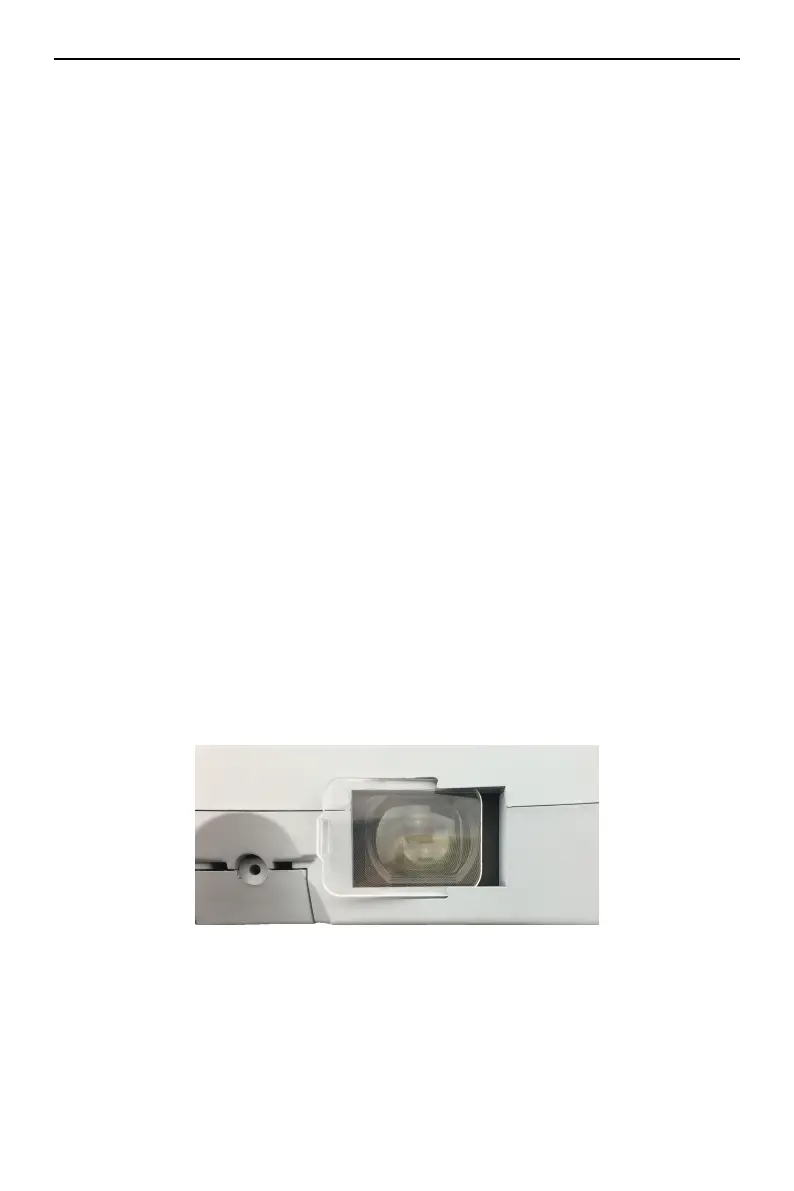
9.LENSINSERTS:
Onthegoggles,correctivelensinsertslotsareavailableandyou
mayinsert‐2,‐4or‐6lensesinthemarketdirectlyfor use.Needto
remove foam coverfirst, andthen insert left and right lens into
theslots.


 To Next Page