EN-15
7. sRGB mode is for getting better color matching representation with the
peripheral device, such as DSCs or printers.
8. Grayscale Mode: Turn grayscale mode On or Off.
9. 6-axis Hue: Adjust the red, green, blue, yellow, magenta and cyan hue.
10. 6-axis Saturate: Adjust the red, green, blue, yellow, magenta and cyan
saturation.
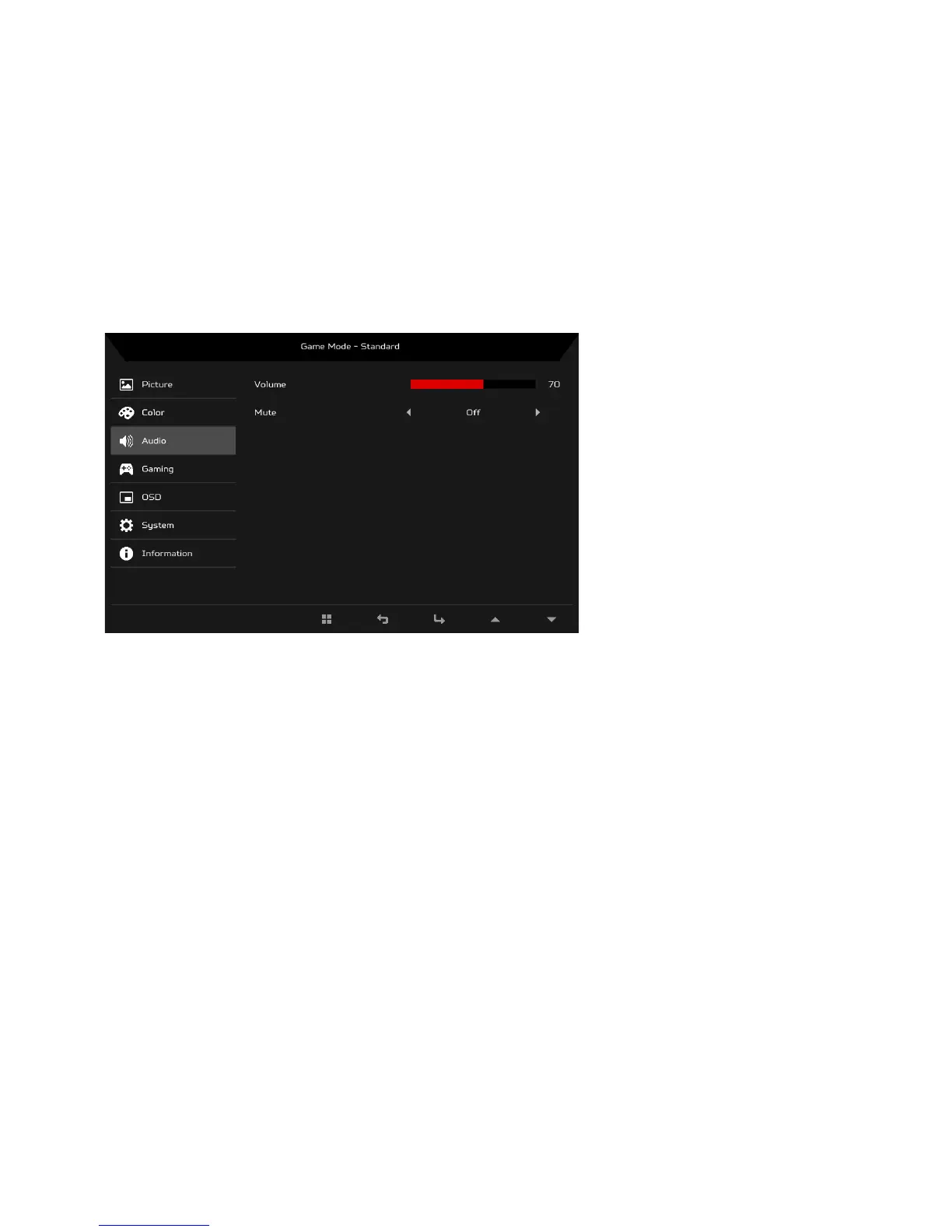
Adjusting the Audio
1. Press the MENU key to open the OSD.
2. Using the
/ keys, select Audio from the OSD. Then navigate to the
setting you wish to adjust.
3. Use the / keys to select setting.
4. Volume: Adjusts the volume.
5. Mute: Select On or Off.


 To Next Page