Need help?
Do you have a question about the AOpen CX1 Series and is the answer not in the manual?
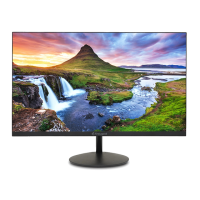
This document is a user manual for the AOPEN CX1 Series 22CX1Q LCD monitor, providing essential information for its safe operation, setup, and basic functionality. It covers important safety instructions, steps for attaching the monitor to its base, connecting it to a computer, and an overview of its external controls. The manual also includes regulatory and safety notices, as well as a declaration of conformity.
The AOPEN 22CX1Q is an LCD monitor designed for video and visual display of information from electronic devices. It serves as a visual output peripheral for computers, offering a clear display for various applications. The monitor is equipped with both VGA (optional) and HDMI (optional) input sockets, allowing for flexible connectivity with different types of graphics cards and computers. For models with audio output, it can also connect to the computer's line-out port via an audio cable, enabling sound playback directly through the monitor.
A key feature of this monitor is its support for FreeSync technology when connected via HDMI. FreeSync allows a compatible graphics source to dynamically adjust the display's refresh rate. This synchronization helps to match the display's refresh rate with the content's frame rates, resulting in a more power-efficient, virtually stutter-free, and low-latency visual experience, which is particularly beneficial for gaming and fast-paced multimedia.
The monitor incorporates a set of external controls for easy adjustment of display settings. These include a power button that also serves as an LED indicator, showing blue for power on and amber for standby/power saving mode. Dedicated function keys provide quick access to the On-Screen Display (OSD) menu, allowing users to navigate and select desired items. Hotkeys are available for direct adjustments such as Contrast (for VGA models), Input selection (for HDMI models), and Brightness. Another function key allows users to select various scenario modes, optimizing the display for different content types. When the OSD menu is active, this key also functions as an exit button.
Setting up the AOPEN 22CX1Q monitor involves a straightforward process. Users first attach the monitor to its base by aligning a release button with a corresponding slot until a clicking sound confirms a secure connection. Connecting the monitor to a computer requires turning off the computer and unplugging its power cord. The signal cable (VGA or HDMI) is then connected between the monitor's input socket and the computer's graphics card output socket, with thumbscrews tightened for a secure fit. For audio-enabled models, an audio cable connects the monitor's AUDIO IN socket to the computer's line-out port. Finally, the monitor's power cable is inserted into the power port, and both the monitor and computer are plugged into an electrical outlet.
The external controls offer intuitive ways to customize the viewing experience. The OSD menu, accessible via a function key, provides a comprehensive suite of settings. Users can adjust fundamental display parameters such as Brightness and Contrast to suit their preferences and ambient lighting conditions. For more advanced image tuning, the OSD includes options like Black Boost, BlueLight (for reducing blue light emission), ACM (Adaptive Contrast Management), and Super Sharpness.
The monitor also provides controls for geometric adjustments, including H. Position, V. Position, Focus, and Clock, ensuring optimal image alignment and clarity. Gamma correction and Color Temperature settings allow for fine-tuning of color reproduction, with preset modes and a user-definable option. Various scenario modes are available to optimize the display for different content, such as text, web browsing, or multimedia.
Additional features include a Grayscale Mode, 6-axis Hue and Saturate adjustments for precise color control, and a Refresh Rate Num display. The OSD menu itself can be customized with settings for Language, OSD Timeout, and Transparency. An OSD Lock feature prevents accidental changes to settings. Input selection allows users to switch between available video sources (VGA, HDMI). Auto Source detection simplifies input management, and a Wide Mode adjusts the aspect ratio. Hot Key Assignment allows users to configure quick access to frequently used functions. DDC/CI (Display Data Channel/Command Interface) enables communication between the monitor and the graphics card for automatic configuration. Other options include HDMI Black Level adjustment, Quick Start Mode, sRGB Mode, and an Information display for monitor details.
The user manual emphasizes several important safety and maintenance instructions to ensure the longevity and proper functioning of the AOPEN 22CX1Q monitor.
For cleaning the LCD monitor screen, it is crucial to first turn off the monitor and unplug the power cord. A non-solvent cleaning solution should be sprayed onto a rag, not directly onto the screen, and then used to gently clean the screen. This prevents potential damage from liquid ingress or harsh chemicals.
The manual advises against placing the LCD monitor near a window, as exposure to rain, moisture, or direct sunlight can severely damage it. Similarly, users should avoid applying excessive pressure to the LCD screen, as this can cause permanent damage to the display panel.
To prevent damage and ensure safety, users are explicitly warned not to remove the cover or attempt to service the unit themselves. Any servicing should be performed by an authorized technician. The monitor should be stored within a specified temperature range of -20°C to 60°C (-4°F to 140°F) to prevent permanent damage.
In case of specific issues, immediate action is required:
The manual also includes regulatory notices, particularly regarding FCC compliance for Class B digital devices. It advises users on measures to correct potential interference, such as reorienting the receiving antenna, increasing separation between devices, connecting to different circuits, or consulting a dealer. It also specifies that shielded cables must be used for all connections to other computing devices to maintain EMC compliance and that only certified peripherals should be attached to prevent interference.
Finally, the manual provides instructions for the proper disposal of waste equipment in the European Union. The symbol of a crossed-out wheeled bin indicates that the product should not be disposed of with general household waste. Instead, it should be handed over to a designated collection point for the recycling of waste electrical and electronic equipment, promoting resource conservation and environmental protection. This ensures that the monitor is recycled responsibly at the end of its life cycle.
 General
| Resolution | 1920 x 1080 (Full HD) |
|---|---|
| Brightness | 250 cd/m² |
| Viewing Angle | 178° (H) / 178° (V) |
| Aspect Ratio | 16:9 |
| Color Gamut | 72% NTSC |
| VESA Mount | 100 x 100 mm |
| Response Time | 5ms |
| Contrast Ratio | 1000:1 |
| Connectivity | VGA, HDMI |

 To Next Page