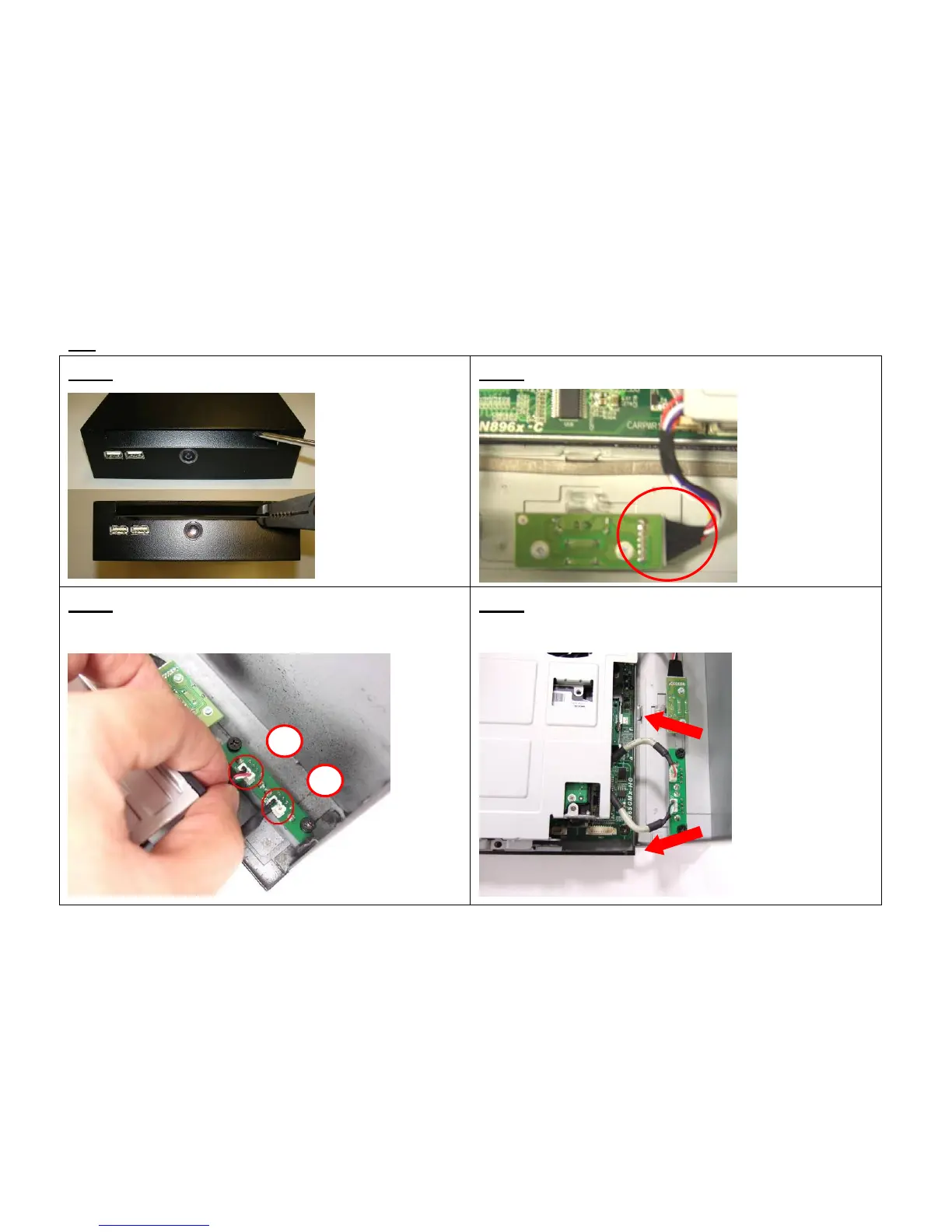
3-5 Assemble the upper case (with ODD)
3-5-1. Remove ODD door on upper case
3-5-2. Connect the power switch wire.
3-5-3.. Accord the photo Connect the
Front-USB wire to upper-case
3-5-4. Adjust the USB cable to arrange the
cable under the supporter.
2
1
31



 To Next Page