C
C
P
P
U
U
I
I
n
n
s
s
t
t
a
a
l
l
l
l
a
a
t
ti
o
o
n
n
i
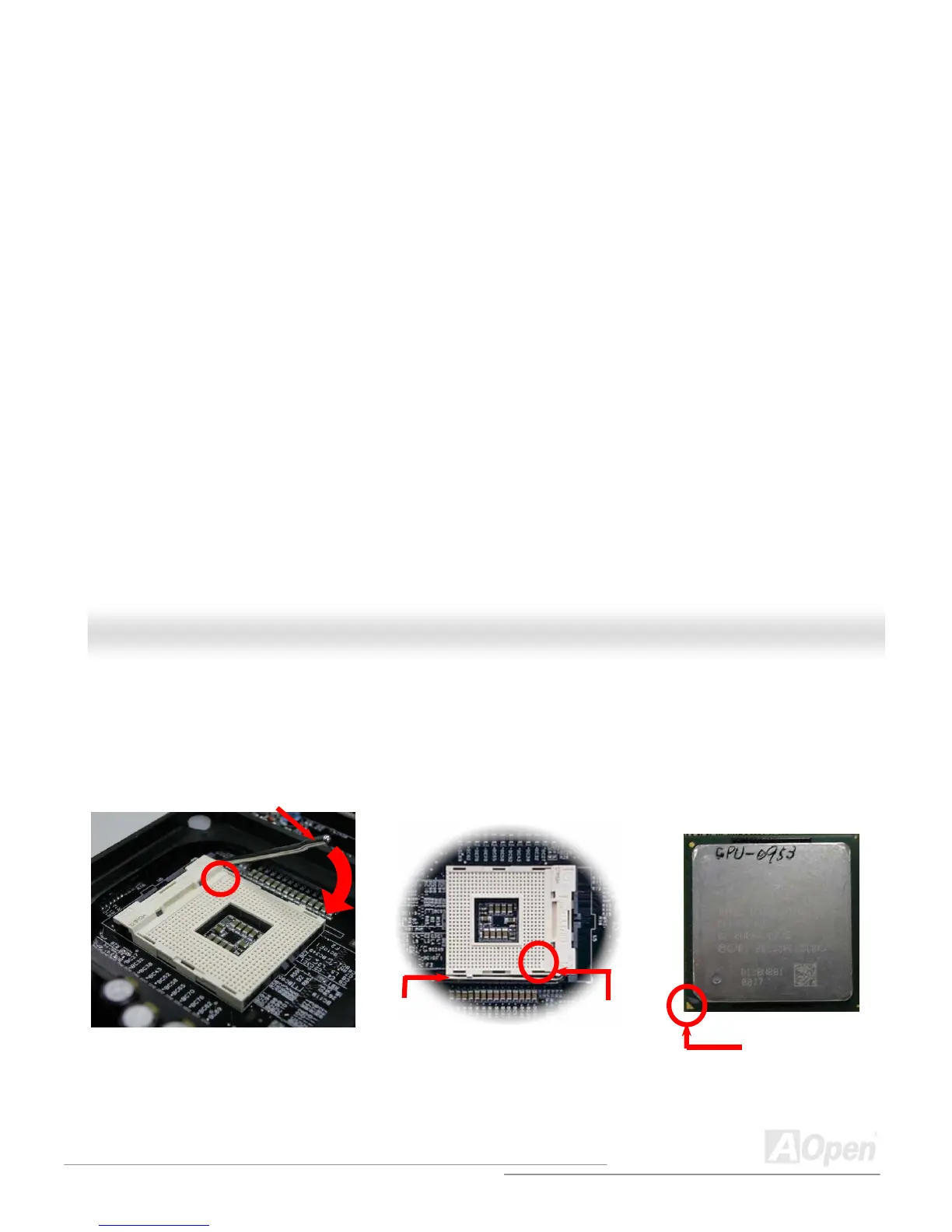
This motherboard supports Intel
®
Pentium 4 Socket 478 series CPU. Be careful of CPU orientation when you plug it into CPU
socket.
2. Locate Pin 1 in the socket and look for a cut edge on the CPU upper
interface. Match Pin 1 and cut edge, then insert the CPU into the socket.
1. Pull up the CPU socket lever and
up to 90-degree angle.
CPU socket
Lever
CPU pin 1 and
cut edge
CPU cut edge
Note: These pictures are for example only, it may not exactly be the same motherboard.



 To Next Page