H
H
o
o
w
w
t
t
o
o
I
I
n
n
s
s
t
t
a
a
l
l
l
l
M
M
e
e
m
m
o
or
y
y
M
M
o
o
d
d
u
u
l
l
e
e
s
s
r
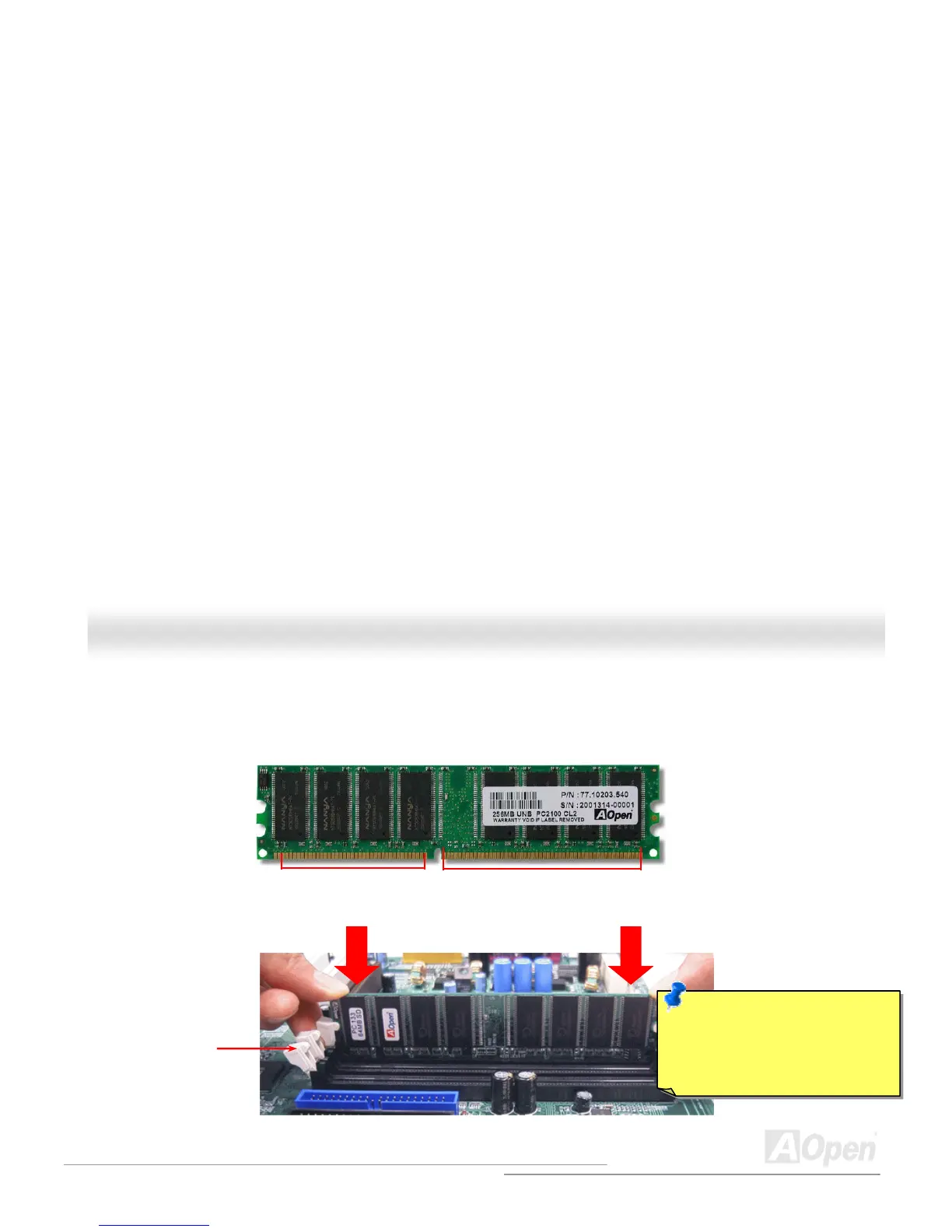
Please follow the procedure as shown below to finish memory installation.
1. Make sure the DIMM module’s pin face down and match the socket’s size as depicted below.
52 pins40 pins
2. Insert the module straight down to the DIMM slot with both hands and press down firmly until the DIMM module is securely
in place.
Note: The tabs of the DIMM slot
will close-up to hold the DIMM in
place when the DIMM touches
the slot’s bottom.
Tab
3. Repeat step 2 to finish additional DIMM modules installation.



 To Next Page