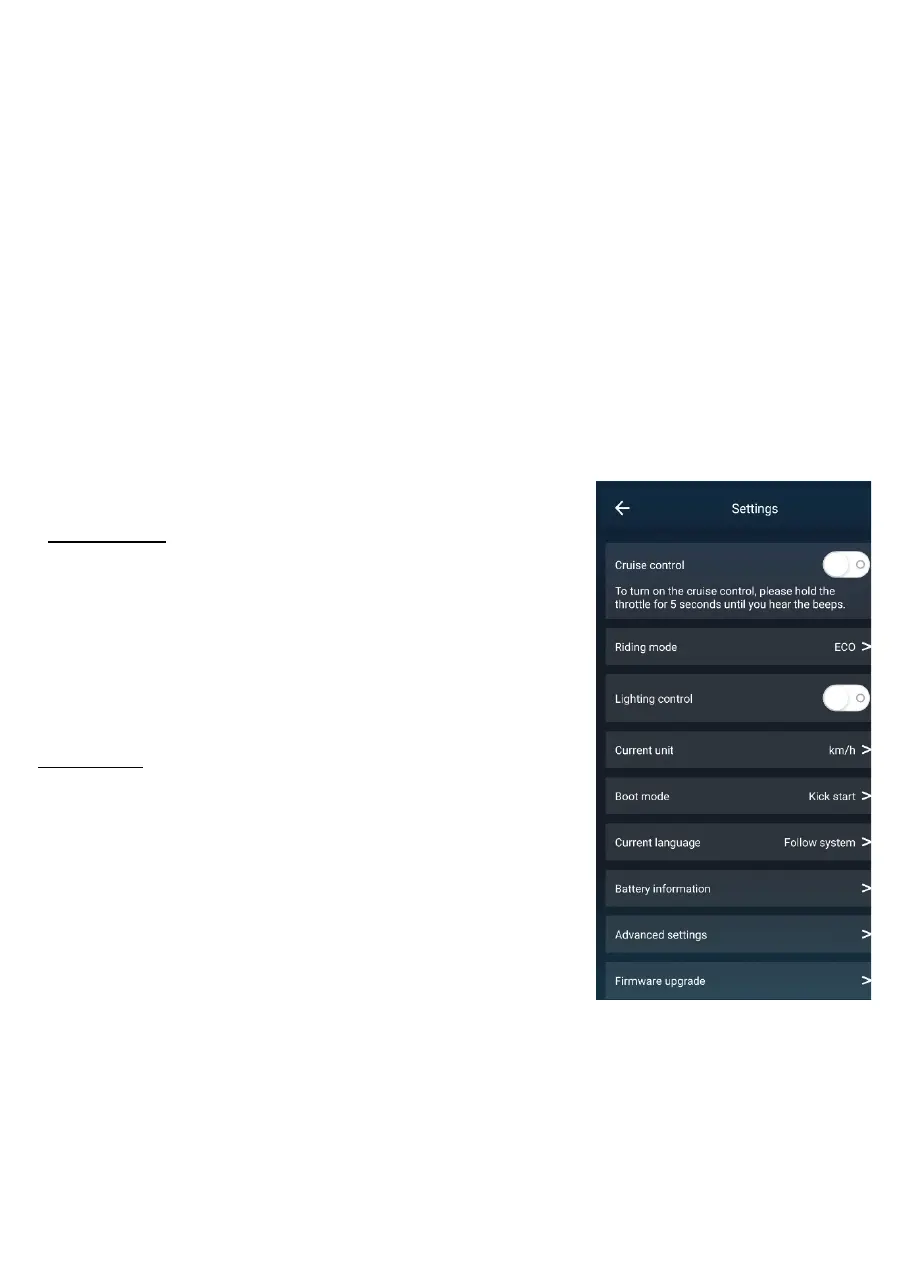
settings can be adjusted. Press the arrow in the top left corner to
exit out of the settings page and to use the scooter.
adjust the speed using the speed lever.
If the speed lever is pressed while it is in kick start mode, the
scooter will not ride.
Taxi mode: Use the speed lever to start the scooters ride.
Light on/off: Press to turn the LED headlight on the scooter on or off.
Settings: Press to access the settings page where a range of
Real time speed shows the current travel speed of the scooter
Connected: Press to connect/ disconnect the scooter with Bluetooth settings on your smart
device
Lock/Unlock: Press to lock the scooter so it cannot be used, press it again to unlock the
scooter so it can be used.
Riding mode:
Switch between 3 x convenient pre-set speed levels,
Gear 1: 20
km/h
Gear 2
: 4
5
km/h
Gear 3: 60
km/h
Boot mode:
Change between kick start or taxi mode.
Kick start: Use your foot to start gliding with the scooter, then



 To Next Page