5.APP CONTROL
The scooter(app version) can be controlled by AOVOPRO after you install it.
Please scan the following QR code to download the AOVOPRO smart app.
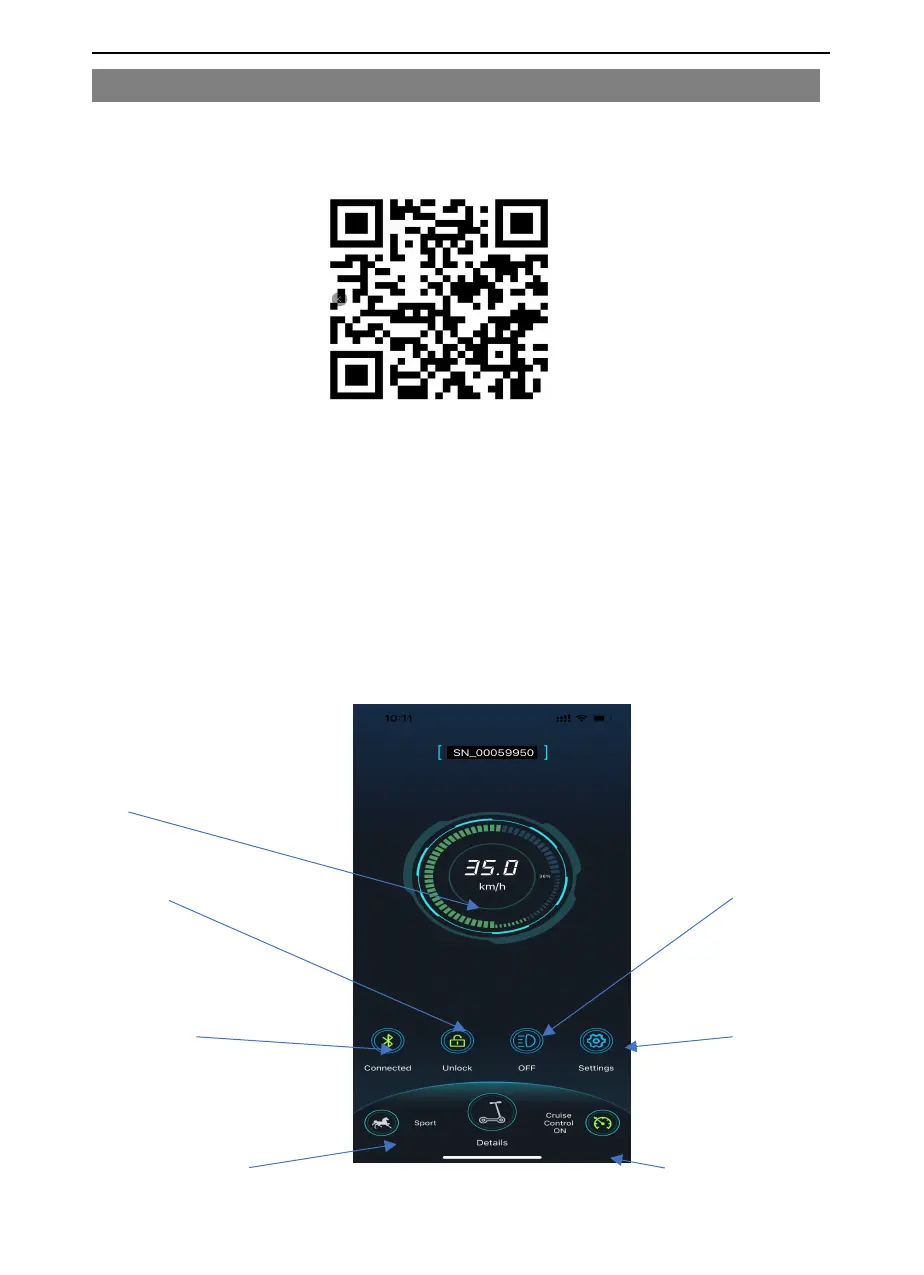
SCOOTER CONNECTED:
Real time speed
Lock/unlock button Light on/off
1.Download AOVOPRO from your application store or by scanning
aboveQRcode,then follow the instructions to install.
And you can also search AOVOPRO from APPSTORE or GOOGLEPLAY to find
the app to download and install.
2. Ensure Bluetooth is turned on, on your smart device.
3. When the app is installed, turn on scooter.
4. Open the aovopro app.
The scooter is automatically connected the app, then you can use the app to
switch the light on or off, change speed, set up cruise control or lock scooter.
5. If you do not want to use the app, you can also use controls on the scooter to
operate the scooter.
Bluetooth connection indicator Settings
Speed level button Scooter details Cruise control on/off



 To Next Page