EasyManua.ls Logo

APART MA-65 - User Manual

APART MA-65
4 pages
Print Icon
To Next Page IconTo Next Page
Loading...
Question and Answer IconNeed help?

Do you have a question about the APART MA-65 and is the answer not in the manual?

Summary

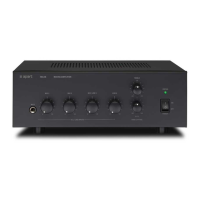
Front Panel Controls

Power;Limit Indicator

Indicates power status and peak power limiting.

Safety Information

Internal Controls

Phantom Power Jumper

Enables phantom power for condenser microphones.

Vox Mute Jumper

Activates voice-activated muting for input 1.

100 V Loudspeaker Systems

Rear Panel Connectors

Speaker Outputs

Terminals for connecting speakers, 8 Ohm or 100V systems.

Line 3; Mic 3 Input

Parallel inputs for line-level or balanced microphone signals.

Mic 2 XLR; JACK

Parallel balanced inputs for microphone signals.
Summary

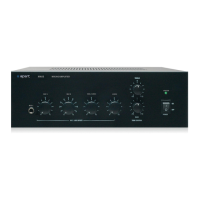
Front Panel Controls

Power;Limit Indicator

Indicates power status and peak power limiting.

Safety Information

Internal Controls

Phantom Power Jumper

Enables phantom power for condenser microphones.

Vox Mute Jumper

Activates voice-activated muting for input 1.

100 V Loudspeaker Systems

Rear Panel Connectors

Speaker Outputs

Terminals for connecting speakers, 8 Ohm or 100V systems.

Line 3; Mic 3 Input

Parallel inputs for line-level or balanced microphone signals.

Mic 2 XLR; JACK

Parallel balanced inputs for microphone signals.

APART MA-65 Specifications

General IconGeneral
BrandAPART
ModelMA-65
CategoryAmplifier
LanguageEnglish

Related product manuals