EasyManua.ls Logo

APART CONCEPT1 - User Manual

APART CONCEPT1
12 pages
Print Icon
To Next Page IconTo Next Page
Loading...
INFO@APART-AUDIO.COM
MANUAL
CONCEPT1
CONCEPT1T
Question and Answer IconNeed help?

Do you have a question about the APART CONCEPT1 and is the answer not in the manual?

Summary

Main Features

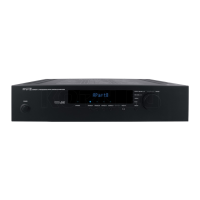
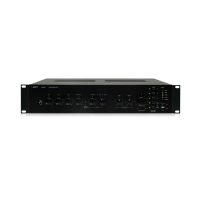
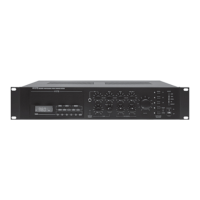
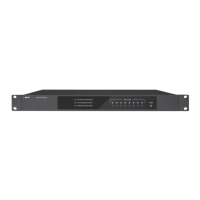
Front Panel Overview

Power On;Off Button

Button to turn the power of the unit on and off.

Source Selection

Buttons to select audio sources A through D, indicated by LEDs.

Source D Mini Jack Input

Front panel input for personal audio devices, shared with rear Source D.

Select Button

Button to select basic submenus and navigate through options.

Multifunctional Encoder Knob

Rotary knob for adjusting main volume and other menu parameters.

Stand-by LED

Indicates unit status: lit when off by remote, flashes on data transmission.

Infrared Receiver

Component that receives signals from infrared remote controls.

Multi-functional Display

Dot matrix display showing current status, source, and menu information.

Rear Panel Connections

Paging Microphone Input

Euroblock connector for paging microphones with signal and ground connections.

Microphone Input Gain Control

Adjusts the input gain level for the microphone signal.

Microphone Input Tone Control

Adjusts the treble/bass balance of the microphone input signal.

Ground Connection

Terminal for connecting safety ground lead or shielded cable screens.

Link Output

Signal output mirroring the Line A input signal.

Line Inputs A, B, C

Stereo line inputs via standard RCA connectors.

Line D Input

Stereo line input via RCA connector, also available on front panel.

Pre-amp Output

RCA outputs providing signal before master volume, for recording or loops.

Line Output

RCA outputs providing signal after volume and limiter, for subwoofers or amps.

CONCEPT 1 T Version Speaker Outputs & Interfaces

Lo-Cut Speaker Outputs

Switches reduce sub bass frequencies for small speakers when used with subwoofers.

Speaker Outputs (100 V)

Euroblock connectors for 100 Volt speaker outputs (167 ohm minimum).

IR Jack

Connector for optional IR remote receiver, bypasses front IR receiver.

RS232 Port

9-pin Sub-D connector for computer or system controller connection.

AC Input

Mains cable connection point. Verify mains voltage before connecting.

User Operation Modes

Expert Operation and Menu Structure

Block Diagram

RS232 & IR Information

Available Accessories

Error Conditions and Solutions

Technical Specifications

Physical Specifications

Safety Instructions and Precautions

Summary

Main Features

Front Panel Overview

Power On;Off Button

Button to turn the power of the unit on and off.

Source Selection

Buttons to select audio sources A through D, indicated by LEDs.

Source D Mini Jack Input

Front panel input for personal audio devices, shared with rear Source D.

Select Button

Button to select basic submenus and navigate through options.

Multifunctional Encoder Knob

Rotary knob for adjusting main volume and other menu parameters.

Stand-by LED

Indicates unit status: lit when off by remote, flashes on data transmission.

Infrared Receiver

Component that receives signals from infrared remote controls.

Multi-functional Display

Dot matrix display showing current status, source, and menu information.

Rear Panel Connections

Paging Microphone Input

Euroblock connector for paging microphones with signal and ground connections.

Microphone Input Gain Control

Adjusts the input gain level for the microphone signal.

Microphone Input Tone Control

Adjusts the treble/bass balance of the microphone input signal.

Ground Connection

Terminal for connecting safety ground lead or shielded cable screens.

Link Output

Signal output mirroring the Line A input signal.

Line Inputs A, B, C

Stereo line inputs via standard RCA connectors.

Line D Input

Stereo line input via RCA connector, also available on front panel.

Pre-amp Output

RCA outputs providing signal before master volume, for recording or loops.

Line Output

RCA outputs providing signal after volume and limiter, for subwoofers or amps.

CONCEPT 1 T Version Speaker Outputs & Interfaces

Lo-Cut Speaker Outputs

Switches reduce sub bass frequencies for small speakers when used with subwoofers.

Speaker Outputs (100 V)

Euroblock connectors for 100 Volt speaker outputs (167 ohm minimum).

IR Jack

Connector for optional IR remote receiver, bypasses front IR receiver.

RS232 Port

9-pin Sub-D connector for computer or system controller connection.

AC Input

Mains cable connection point. Verify mains voltage before connecting.

User Operation Modes

Expert Operation and Menu Structure

Block Diagram

RS232 & IR Information

Available Accessories

Error Conditions and Solutions

Technical Specifications

Physical Specifications

Safety Instructions and Precautions

APART CONCEPT1 Specifications

General IconGeneral
Impedance4 Ω
Frequency range10 - 40000 Hz
Total Harmonic Distortion (THD)0.05 %
I/O ports1x RS 232
Connectivity technologyWired
Product colorBlack
Package depth380 mm
Package width530 mm
Package height170 mm
Dimensions (WxDxH)430 x 290 x 88 mm
Power requirements230 - 240V, 50/60 Hz
Package weight7600 g
Power consumption (typical)170 W
Operating temperature (T-T)0 - 40 °C
Weight and Dimensions IconWeight and Dimensions
Weight6600 g

Related product manuals