15
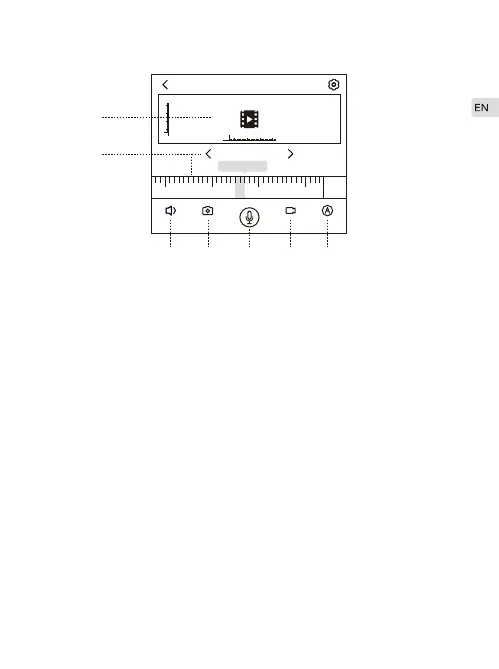
Enter the camera--click the camera you want to select
Vertical screen
The shooting angle of camera can be adjusted by sliding the
middle screen up and down and side to side.
Show date and time. You can playback video footage if a SD card
is inserted.
Hear the sound coming from the camera end.
Take snapshots and save them on App-Album.
Press and hold the icon to talk. Voice will be sent to the camera
end. Used with function C to make two-way audio.
Record video footage and save it on App album.
Select Definition—Low Definition (720P), High Definition (1080P)
and Adaptive Mode (automatically select the definition according
to the network speed) are optional.
12:0011:0010:0000:00
31/01
2018-01-23
RealTime
A
B
C D E F G
A.
B.
C.
D.
E.
F.
G.


 To Next Page