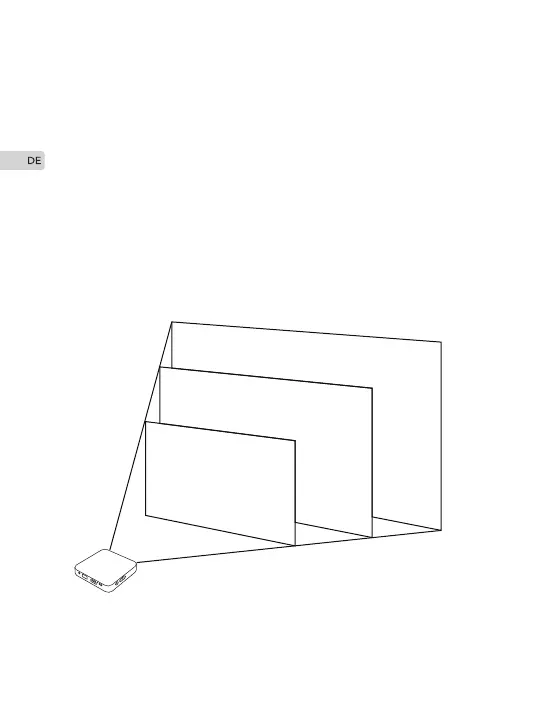
30”
80cm
130cm
260cm
50”
100”
Stellen Sie Ihren M4-Projektor auf eine ebene Fläche im
optimalen Abstand vom Bildschirm oder der Wand und bewegen
Sie ihn horizontal.
Sehen Sie das Bild unten. Das Ergebnis dieser Berechnung sagt
Ihnen ungefähr, wie weit der Projektor vom Bildschirm entfernt
sein sollte, um ein scharfes Bild zu projizieren, das groß genug ist,
um den Bildschirm zu füllen. Der empfohlene Projektionsabstand
beträgt 0,8-2,6 Meter.
Einstellung des Projektionsbildes
24


 To Next Page