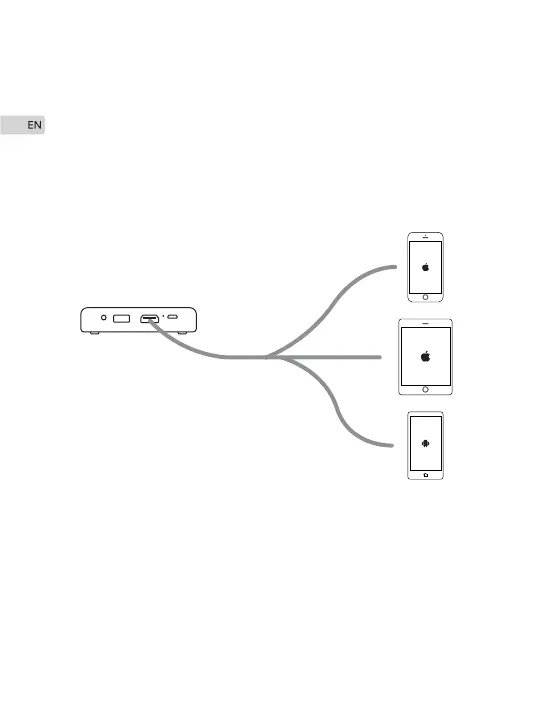
Proceed as follows to connect M4 Projector to your device.
Before connecting, you need to use a correct signal cable for
each source and ensure that cable is securely connected.
Connect your device(iPhone/iPad) to M4 Projector via HDMI
cable to Apple Lightning Digital AV Adapter(not included).
Connect your device(Android Smartphone) to M4 projector via
MHL cable(not included). Make sure that your smartphone
supports MHL function and screen sharing.
·
·
Connections
Connecting to iPhone, iPad and Android Smartphone
8


 To Next Page