Need help?
Do you have a question about the Apex Digital DOMUS4 and is the answer not in the manual?
Dangers and precautions to reduce the risk of electrical shock.
Defines the meaning of NOTE, CAUTION, and WARNING terms used in the manual.
Warnings to reduce the risk of burns, electrical shock, fire, or injury.
Definitions for symbols related to safety standards and certifications.
Definitions for symbols indicating washing, drying, and cleaning instructions.
Information on the proper disposal of electrical and electronic equipment.
Details the product's protection against solids and water ingress.
Overview of the mattress system's quality and approved standards.
Describes the product's purpose for pressure ulcer prevention and pain management.
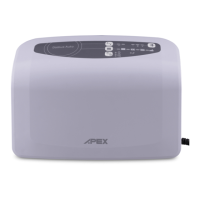
Identifies the main parts of the pump and mattress system.
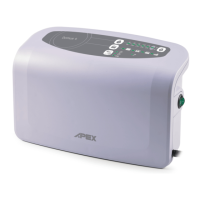
Explains the components located on the front and rear of the pump unit.
How to adjust air pressure for patient comfort and support.
Details on Max Firm, Alternate, and Static therapy modes.
Explains seat inflation feature and how to mute alarms.
Describes low pressure, power failure indicators, and panel lock function.
Step-by-step instructions for installing the pump and mattress.
Steps for initial setup, inflation, and basic operation of the system.
Guide to setting pressure and understanding low pressure indicators.
Instructions for using static mode and muting system alarms.
Instructions for cleaning the pump unit, mattress, and carrying bag.
Proper methods for storing the mattress to prevent damage.
Routine checks for power cord, mattress cover, and air hoses.
Steps for accessing, cleaning, and replacing the air filter.
Table listing common problems and their recommended solutions.
Detailed technical data for the pump and mattress components.
Information on the device's electromagnetic emissions and their environment.
Guidance on the device's immunity to electromagnetic disturbances.
Recommended distances for RF equipment to avoid interference.
 General
| Brand | Apex Digital |
|---|---|
| Model | DOMUS4 |
| Category | Indoor Furnishing |
| Language | English |

 To Next Page