Menu Adjustments
Date & Time Menu
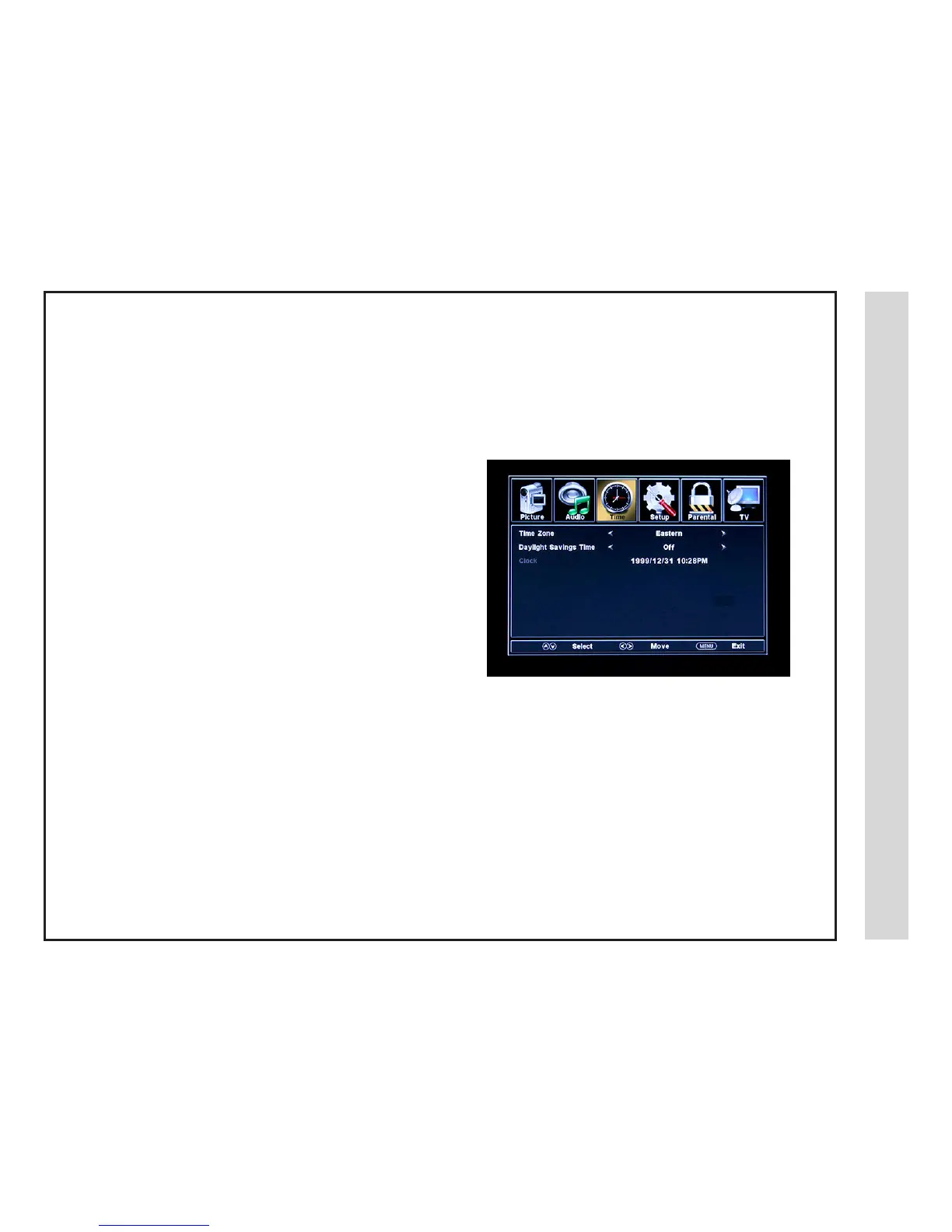
The TIME menu includes adjustment of settings for your local time zone and daylight savings time. The clock will adjust automatically after
the initial Channel Auto Scan of available broadcast channels in your area. (See page 17 for Initial TV Setup)
How to Navigate:
Press the MENU button on the remote control. Navigate using arrow t u buttons to select TIME.
• Use down q arrow button to highlight Time Zone. Then press the
u arrow button to select between: EASTERN > CENTRAL > MOUN-
TAIN > PACIFIC > ALASKA > HAWAII
• Use down q arrow button to highlight Daylight Savings Time. Navi-
gate using the t u arrow buttons to turn this feature on or off.
2009
19 20
Note: When adjustments are completed, you may select another menu by pressing the Menu button.


 To Next Page