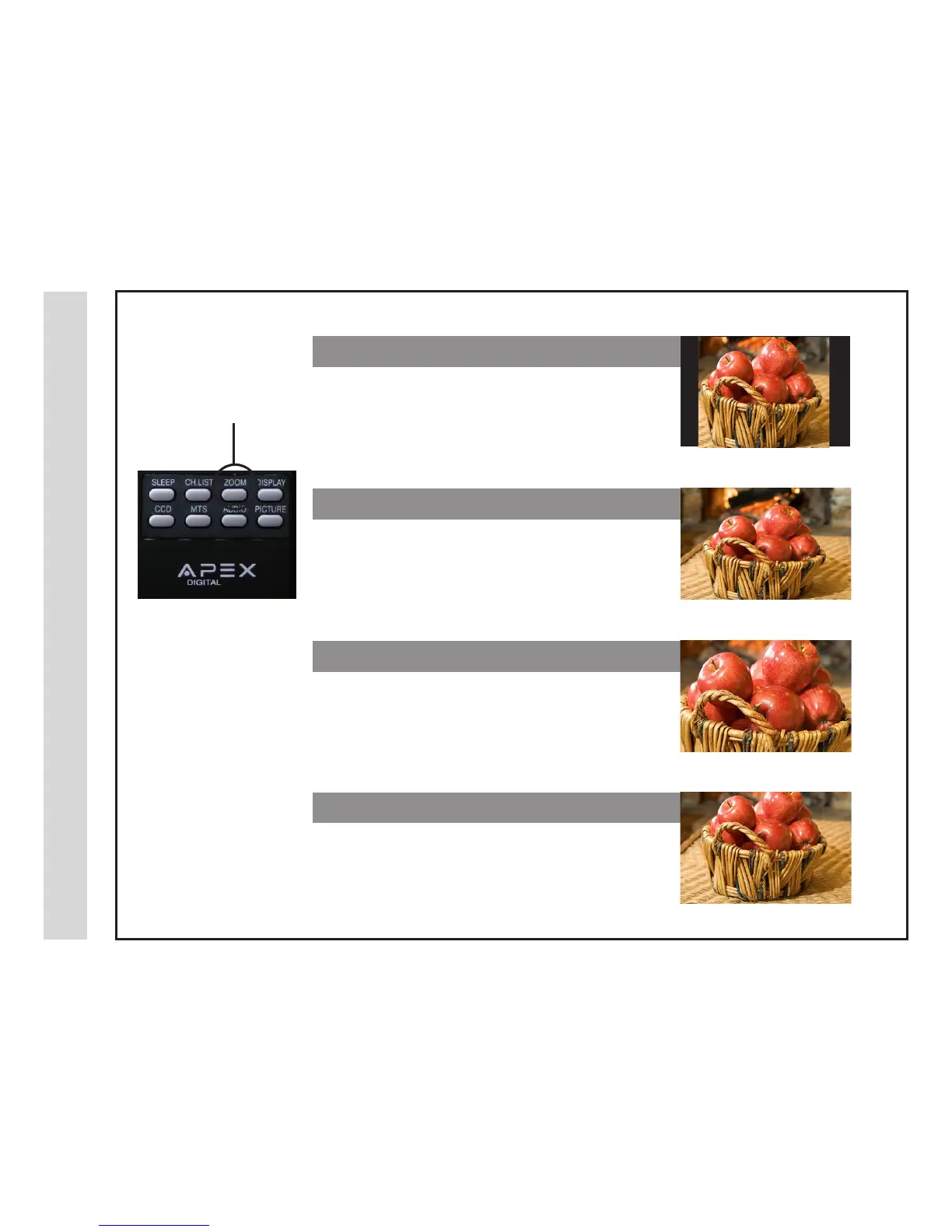
Zoom Mode
Press ZOOM to cycle
through the following
widescreen settings.
The ZOOM function offers several viewing display options on the 16:9 screen. Press ZOOM to cycle through the following
widescreen settings.
Recommended for viewing native widescreen content and
undistorted 4:3 images. (With Black Bars)
Stretches certain 4:3 content and may reduce the black bars.
Stretches the image both vertically and horizontally to ll the
screen when viewing widescreen content. The zoom effect will
crop images somewhat.
When viewing 4:3 content, Cinema mode will ll the entire
screen eliminating the side black bars. It may also eliminate or
reduce black bars on certain widescreen movies.
1. NORMAL
2. WIDE
3. ZOOM
4. CINEMA
27 28



 To Next Page