
EasyManua.ls Logo

Apex Digital LE32D5 - User Manual

Apex Digital LE32D5
9 pages
To Next Page IconTo Next Page
Loading...
QUICK START GUIDE
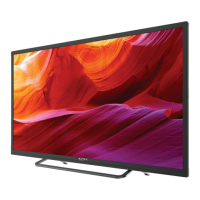
Apex LE32D5 32” CLASS HDTV
Full User Manual Available at www.tmaxdigital.com
Customer Support: (877) 833-1888 7:00am-10:00pm (CST) Daily
Email Support: cs@tmaxdigital.com

Questions and Answers

Apex Digital LE32D5 Specifications

General IconGeneral
BrandApex Digital
ModelLE32D5
CategoryHDTV
LanguageEnglish

Summary

Safety Information

Electrical Shock Warning

Caution against opening the TV cover; refer servicing to qualified personnel.

General Safeguards and Precautions

Instructions on safe operation, cleaning, placement, ventilation, and power sources.

Protection and Servicing Guidelines

Guidance on lightning protection, servicing, replacement parts, and wall mounting.

Introduction and Package Contents

TV Package Contents

Lists the items included in the TV package, such as the HDTV, base stand, remote, and batteries.

Installing the Base Stand and Wall Mounting

Base Stand Installation Steps

Step-by-step guide on how to attach the TV base stand to the television.

Wall Mounting Recommendations

Advises contacting a professional for securing the TV to the wall.

TV Rear Panel Connections

Audio and Digital Ports

Explains connections for headphones, SPDIF digital audio, and RF input for antenna/cable.

Video, Component, and HDMI Ports

Details AV Composite, Component YPbPr, HDMI, and PC input connections.

Connecting Your Devices

HDMI and MHL Connections

Guide on using HDMI for best video and sound quality, including MHL connection.

Component and AV Connections

Instructions for connecting analog devices using Component (YPbPr) or AV cables.

Initial Setup Wizard Guide

Home vs. Retail Mode Selection

Explains the difference between Home and Retail modes for power consumption and picture quality.

Wizard Navigation and Options

Describes how the wizard guides users through TV setup, including antenna options.

TV Channel Auto Scan Procedures

Air Mode Channel Scan

Instructions for setting up antenna reception and performing an auto scan for channels.

Cable Mode Channel Scan

Guidance for pay TV services, selecting cable system options, and performing auto scan.

Remote Control Operations

Remote Control Button Functions

Detailed explanation of each button and its function on the remote control.

Remote Control Battery Installation

Guide on how to install batteries and considerations for remote control operation and care.

Product Specifications

Display and Performance Characteristics

Lists display size, aspect ratio, resolution, brightness, contrast, viewing angles, and response time.

Audio Power and Input Connectivity

Details audio power output and the types/number of input connections available on the TV.

Quick Troubleshooting Guide

Troubleshooting Reception and Video

Solutions for problems like not receiving channels or video noise/choppy pictures.

Troubleshooting Audio, Power, and Remote

Advice for no sound, black screen, power issues, or remote control malfunctions.

Warranty and Customer Service Information

Limited One-Year Warranty Details

Details the warranty coverage, responsibilities, and procedures for obtaining service.

Warranty Limitations and Consumer Rights

Explains warranty limitations, pixel policy, and specific consumer rights.