15
QUICK TROUBLESHOOTING
Symptom Possible Solutions
Cannot receive certain channels
through the antenna.
• Perform Channels Scan to add channels into the TV tuner memory.
• Readjust your antenna and retry Autio Channel Scan.
• Signal from the TV station may be weak in your area.
Video noise or choppy picture. Readjust antenna. Keep TV away from noise sources, neon lights,
and microwave appliances.
TV blocked on certain channels. • Perform Channel Scan to add channels into the TV tuner memory.
• Check whether the channel was deleted.
• Check parental control settings.
• Restore default settings.
Cannot use certain functions. If the item chosen in a menu is shown in gray text, that item cannot be selected in
the current input.
No sound. • Check that connected audio cables are completely inserted.
• Verify you have selected the correct audio source from your amplifier.
• Mute function may be enabled; press Mute on the remote.
Black box on screen. • The “Text” option is enabled and no text is available.
• Press the CC Button on the remote control to turn off.
No power. • Batteries in the remote control may need replacing.
• Re-attach AC plug to wall outlet.
• Check power switch on TV’s rear panel.
Remote control does not function. • Replace batteries with new ones.
• Check that battery polarity is correct.
• Point remote directly at the TV’s IR receiver.
SPECIFICATIONS
14
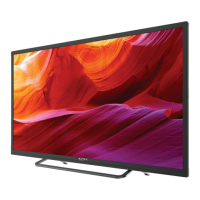
Display LED
Size (inch) 31.5” Diagonal
Aspect Ratio 16:9
Digital Compatibility 480i / 480p / 720p Resolution
Brightness (cd/m2) 200
Dynamic Contrast 200,000:1
Vertical Viewing Angle (degrees) 178
Horizontal Viewing Angle (degrees) 178
Response Time (ms) 6.5
Audio Power 8W x 2
Input Connections Composite Video (1-Shared)
YPbPr / Audio (L/R) (1-Shared)
HDMI (1 shared with MHL) (3)
RF (1)
SPDIF Coaxial Digital Output (1)
PC/VGA (1)
PCAudio IN (1)


 To Next Page