INTRODUCTION & CONTENTS
4
Table of Contents
Getting Started
Safety Instructions 1
Introduction / Content 4
Installing the Base Stand 5
Setup and Connections
TV Rear Panel 6
Connecting your Devices 8
Initial Setup Wizard 10
TV Channel / Cable Auto-Scan 11
The Remote Control 12
Specifications and Troubleshooting
TV Specifications 14
Troubleshooting 15
Warranty 16
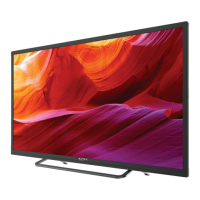
Thank you for purchasing this Apex HD television which follows
our tradition of value and excellent performance delivering
life-like images with breathtakingly crisp picture quality. It’s
“Smart TV” ready for when you connect a media stick such as
ChromeCast
®
, Roku
®
Stick, or other mobile devices. Immerse
yourself into the world of digital media and enjoy the spectacular
colors from the wide spectrum color palette.
The Quick Setup Guide will answer the most frequently asked
questions for setup, installation, and use.
We encourage you to visit us at www.tmaxdigital.com to
download the complete online manual. For your convenience
this QR code will take you directly to the online manual as well.
The TV package includes the following items:
1. HDTV
2. Pedestal Base & Hardware
3. Remote Control
4. (2) AAA Batteries for Remote Control
Save the carton and packaging
for future shipping and storage.
1. Gently place the TV face down on a flat surface (use a soft towel
or cloth to protect the front panel).
2. Place the base at the bottom of the television, positioning it so that
the screw holes align with the mount holes on the television base.
3. Secure the base with two (2) Phillips screws.
4. Lift the television and sit upright on a level, flat surface.
WALL MOUNTING
It is recommended to contact your local dealer or contractor to secure the TV to the wall.
5
INSTALLING THE BASE STAND / WALL MOUNTING


 To Next Page