Need help?
Do you have a question about the Apex Digital Sturdy SA-260MA-R and is the answer not in the manual?
Defines DANGER, WARNING, and CAUTION levels and general safety advice.
Explains various safety symbols and their meanings used in the manual.
Guidelines for selecting a suitable installation location and conditions.
Detailed instructions for physically installing the sterilizer unit.
Specifies the product's purpose and applications.
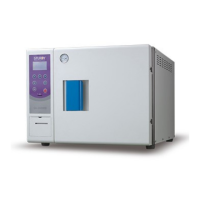
Overview of the sterilizer's external features and components.
General guide to operating the sterilizer and its different programs.
Procedure for setting and running the standard sterilization cycle.
Steps to prepare the sterilizer and items before starting a cycle.
Instructions for performing the Re-Dry sterilization program.
Procedure for running the optional Liquid sterilization program.
Instructions for running the optional Flash sterilization program.
Procedure for setting and running the PRION sterilization program.
Instructions for performing the Bowie-Dick (B.D.) test program.
Procedure for running the PUMP TEST program.
Guides for Vacuum Release, Reset/Stop, and Emergency Stop functions.
Guidance on placing items like implements, wraps, and boxes for sterilization.
Details the purpose and functionality of the paperless recorder.
Description of the data recorded by the sterilization cycle.
Information on recommended storage media and usage guidelines.
Identifies the components and controls on the recorder panel.
Explains recorder modes, setup, and specific functions like USB and printer.
Lists common error messages and their solutions for the recorder.
Procedure for validating sterilization using biological indicators.
Instructions for performing the Bowie-Dick air removal test.
Procedure for conducting the Helix test for critical load characteristics.
Daily cleaning and checks for the sterilizer.
Weekly cleaning and maintenance tasks for the sterilizer.
Monthly cleaning and safety checks for the sterilizer.
Annual checks and replacement of consumable parts like the door gasket.
Lists common problems, their causes, and solutions.
Detailed list of error codes and their descriptions.
 General
| Category | Laboratory Equipment |
|---|---|
| Type | Analytical Balance |
| Capacity | 260g |
| Display | LCD |
| Model | SA-260MA-R |
| Readability | 0.1mg |
| Power Supply | AC 100-240V |
| Operating Humidity | ≤80% RH (non-condensing) |

 To Next Page