ARCHMI-8XX Series User Manual
Click this button and arrows appear pointing to red
squares. Use your finger or stylus to touch the red
squares in sequence. After the fifth red point calibration
is complete. To skip, press ‘ESC’.
Advanced Calibration uses 4, 9, 16 or 25 points to
effectively calibrate touch panel linearity of aged touch
screens. Click this button and touch the red squares in
sequence with a stylus. To skip, press ESC’.
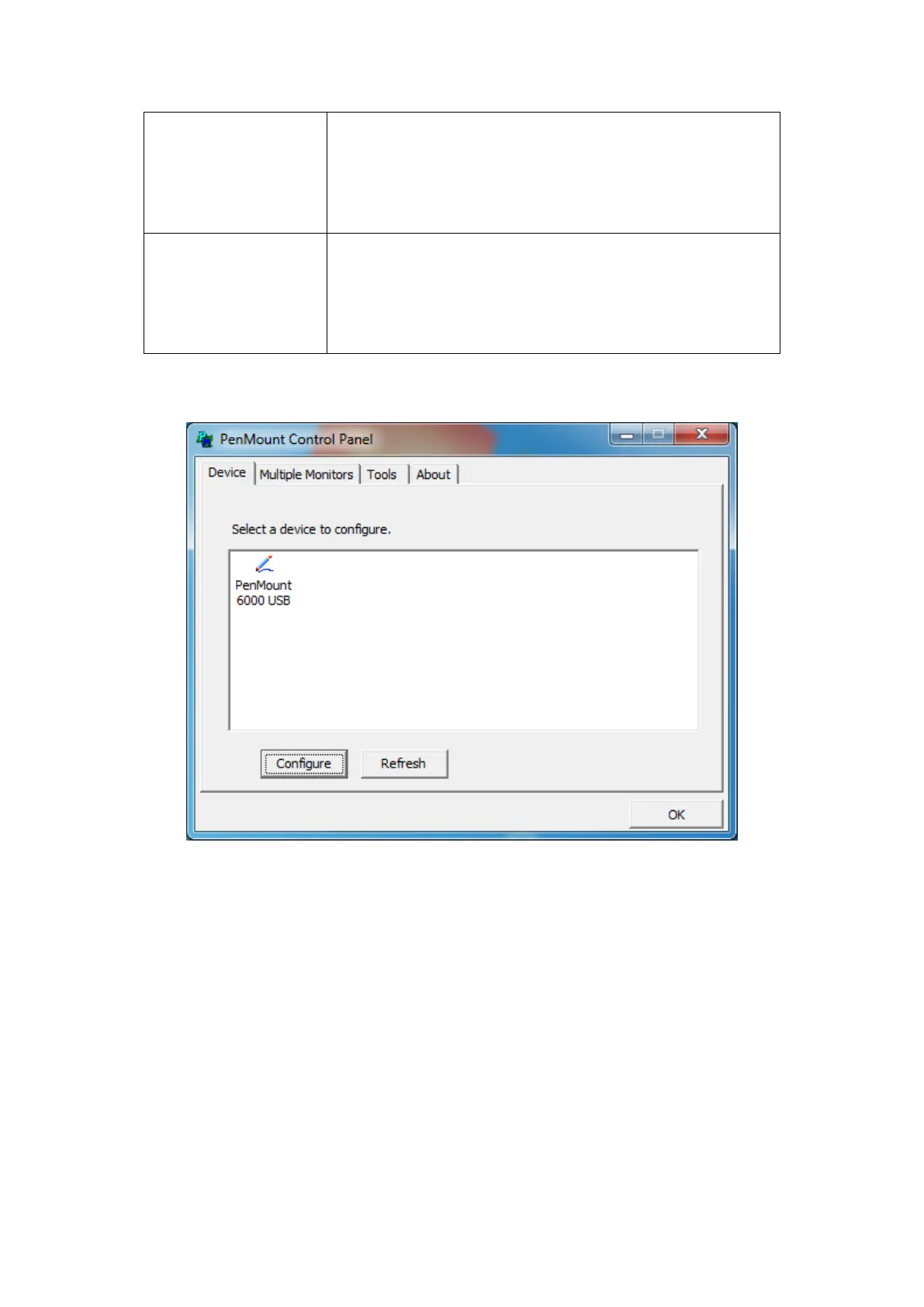
Step 1. Please select a device then click “Configure”. You can also double click the device too.


 To Next Page