Apogee Element Series User’s Guide
How to get a separate mix to the headphones than from the speaker outputs:
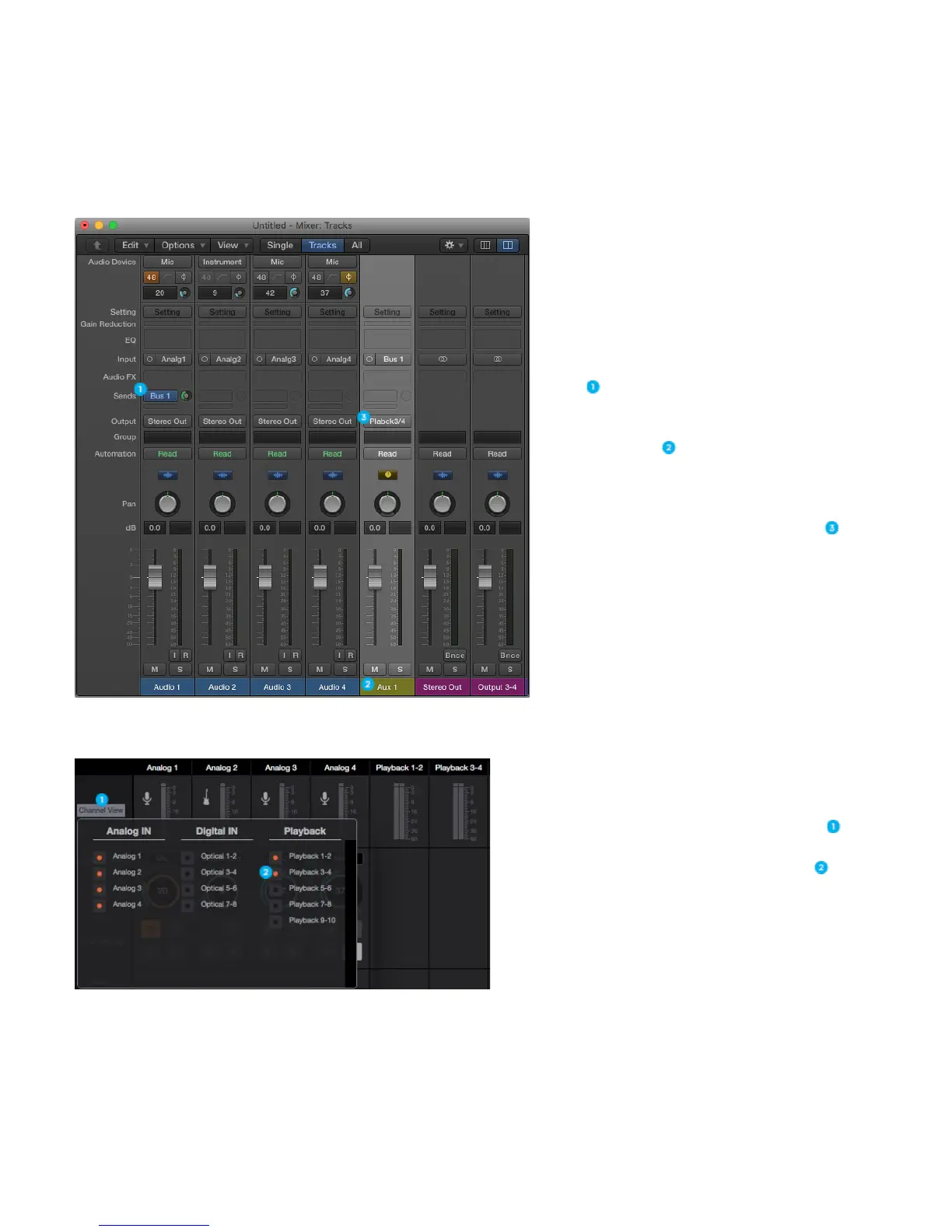
To do this, you first have to create an aux mix in your Recording Program.
In Logic, create a Send to a Bus on one of your
tracks
This automatically creates an Aux track in your
Logic Pro X Mixer
- In Pro Tools and other DAW’s you must
manually create an Aux Track
Set this Aux track to output via Playback 3-4 .
Next, go to Element Control and click Channel View .
Click Playback 3-4 to show that playback channel .
25



 To Next Page