24 | Apogee Element Series Quick Start Guide
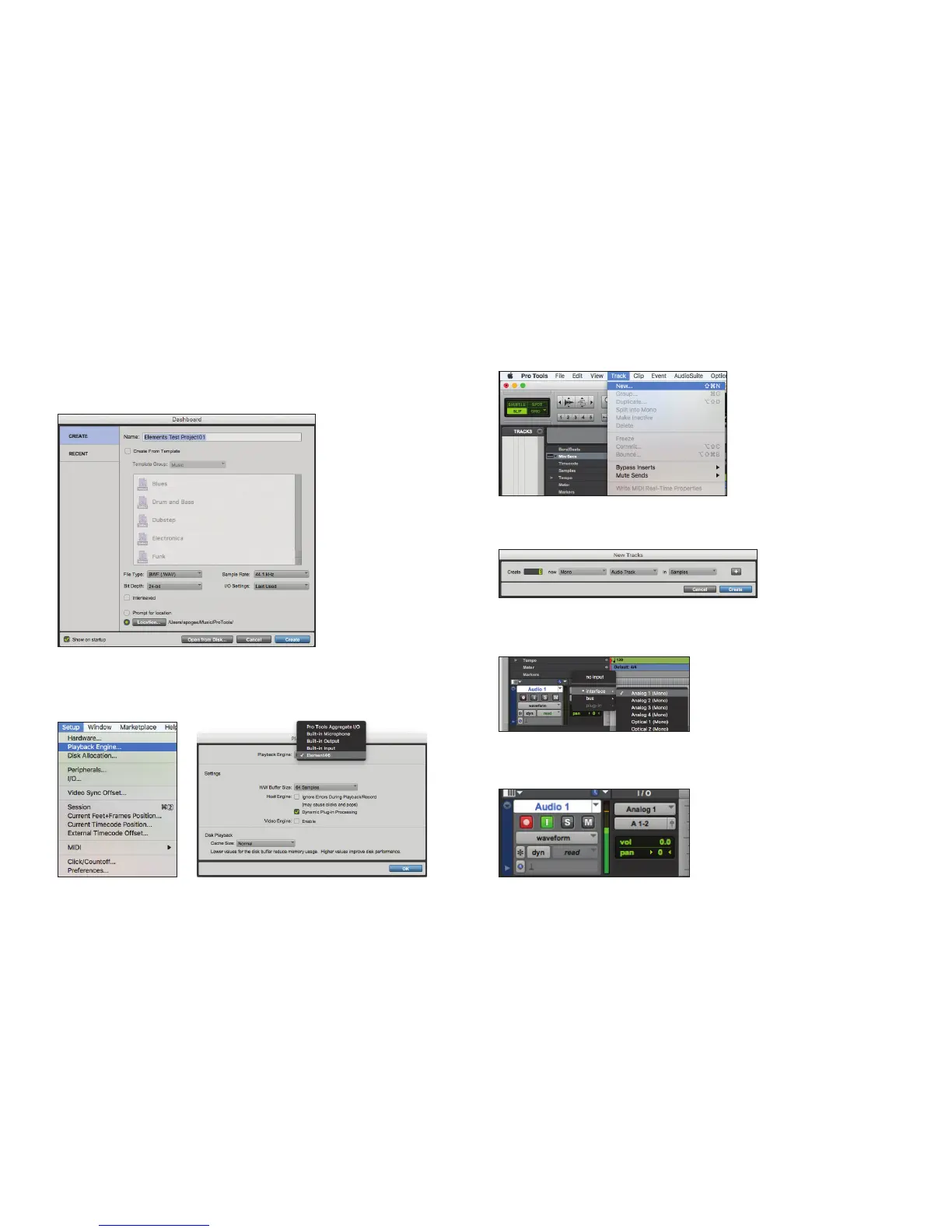
Select Element in Pro Tools:
1. Open Pro Tools and create a New Project.
2. Go to Setup > Playback Engine and select
Element46 as the playback engine and click OK.
3. Go to the Track > New Menu.
4. Create 1 Mono Audio Track.
5. Select Input 1.
6. Click the Record and Input Monitoring Buttons.



 To Next Page