EasyManua.ls Logo

Apogee GiO - Working With Apple GarageBand; Using GiO for GarageBand Audio Input and Output; Using GiOs Transport Buttons to Control GarageBand

Apogee GiO
16 pages
Print Icon
To Next Page IconTo Next Page
To Previous Page IconTo Previous Page
Loading...
GiO Quickstart Guide
10
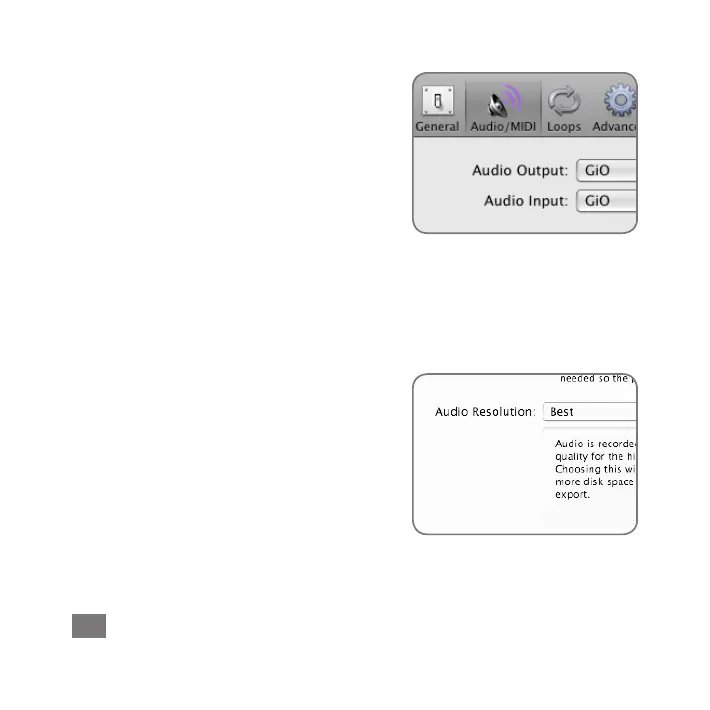
GarageBand Preferences
IfGiOcan’tbeselectedintheInputSource
menu,openGarageBandPreferences
(GarageBand>Preferences),clickAudio/
MIDI,andselectGiOintheAudioOutput
andAudioInputmenus.
Important!Toexperiencethefullaudio
resolutionofGiO,openGarageBand
Preferences,clickAdvanced,andselect
BestintheAudioResolutionmenu.

Other manuals for Apogee GiO

Related product manuals