10
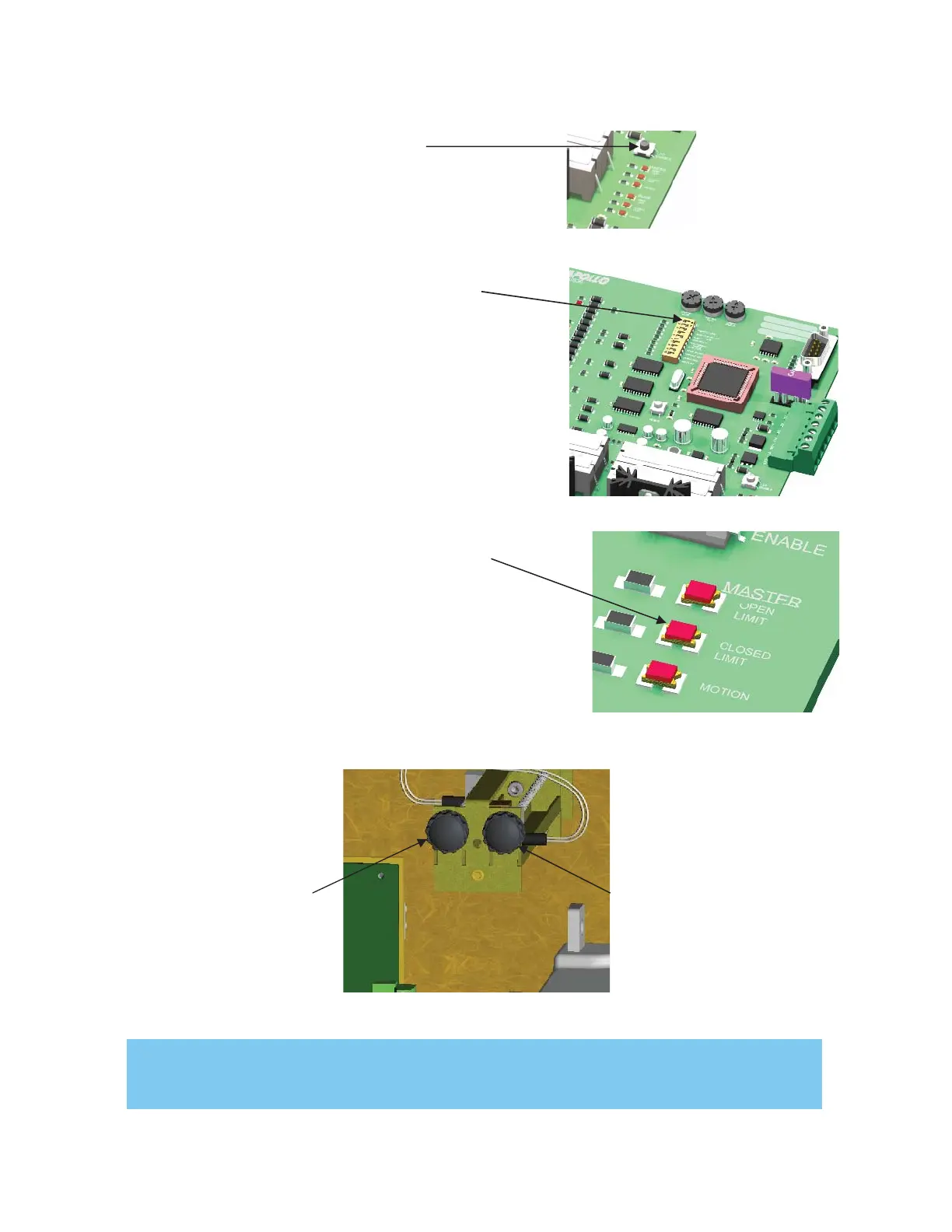
Step 1. Press LED Enable once on the
right side of the circuit board. The STOP
LED should illuminate. This is a standard
condition.
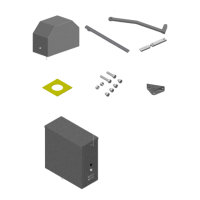
Internal Limit Adjustment
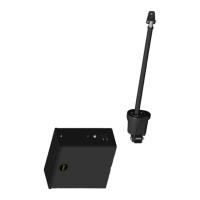
Step 3. Activate the gate until the CLOSED LIMIT
LED is illuminated
Limit adjustment for left
movement
(gate moving to the left)
- less travel
- more travel
Limit adjustment for right.
Movement
(gate moving to the right)
- less travel
- more travel
Step 4. Adjust the corresponding limit switch for preferred
close position.
Step 5. Repeat steps 3 & 4 for setting the open limit
TIP: If the limits require extensive adjustment use a 13/32” or 25/64” socket with a portable drill
for course adjustment, then adjust manually for fine adjustment.
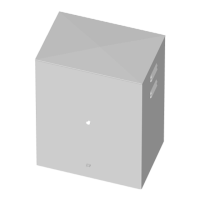
Step 2. Turn switch #1 OFF on the control board


 To Next Page