EasyManua.ls Logo

Apollo Vampire V4+ - User Manual

Default Icon
4 pages
Print Icon
To Next Page IconTo Next Page
Loading...
Vampire V4+ computer Manual
TABLE OF CONTENTS:
1) Disclaimer
2) ROM/ kickstart/ OS
3) Description
4) How to use & good to know
5) Flashing the board
6) Data transfer
7) Terms of warranty
8) Software installation & support
1) Disclaimer
The Vampire V4+ StandAlone is a computer delivered in a box
adapted to the electromagnetic standards in force. Neither the
manufacturer nor the reseller can under no circumstances be held
responsible for any damage caused when you open the metal
case.
The V4+ StandAlone ships with the Apollo-ROM, no third party
copyrighted material is part of this product.
Notice: If you want to dispose of this equipment, please follow your
country rules for electronic disposal!
2) ROM/ kickstart / OS
The V4+ StandAlone comes preinstalled with the latest Apollo-
ROM. The Apollo-ROM allows you to run ApolloOS and the latest
Coffin distro, by just plugging a CF Card in. You can also use any
other Amiga OS like 3.2 or even Emutos. We recommend the
Apollo bootloader for booting each ROM and OS you want. If you
need help, please contact us on discord
2) Description
Your V4+ comes with CF-Adapter and CF-Card with preinstalled
ApolloOS, plug it in and enjoy the amiga-feeling.
The Vampire V4+ is an AMIGA compatible computer that uses
the Apollo-core which is compatible with the Motorola 68K
processors while outclassing them in performance. The Vampire
V4+ is equipped with the following connectors: a mini-USB port
Question and Answer IconNeed help?

Do you have a question about the Apollo Vampire V4+ and is the answer not in the manual?

Overview

The Vampire V4+ StandAlone is a computer delivered in a 68k box adapted to the electromagnetic standards in force. It is a powerful Amiga-compatible computer designed for enthusiasts and modern users. The manufacturer notes that the reseller cannot, under any circumstances, be held responsible for any damage caused when you open the metal case. The V4+ StandAlone ships with the Apollo-ROM, and no third-party copyrighted material is part of this product. Users are advised that if they want to dispose of this equipment, they should follow their country's rules for electronic disposal.

Function Description

The V4+ StandAlone comes preinstalled with the latest Apollo-ROM. The Apollo-ROM allows you to run ApolloOS and the latest Coffin distro, by just plugging a CF Card in. This allows users to run other Amiga OS like 3.2 or even Emutos. The Apollo bootloader is recommended for booting each ROM and OS you want. The device is designed to be user-friendly, allowing for easy setup and operation.

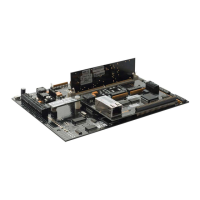
The Vampire V4+ comes with a CF-Adapter and CF-Card with preinstalled ApolloOS, making it a plug-and-play solution for an enjoyable Amiga-feeling. The Vampire V4+ is an AMIGA© compatible computer that uses the Apollo-core, which is compatible with the Motorola 68K processors while outclassing them in performance. The Vampire V4+ is equipped with the following connectors: a mini-USB port for power, a micro SD connector, a video and digital audio output, three USB connectors for keyboard, mouse and joypad, RJ45-Ethernet port and two DB9 connectors for Amiga joystick or Amiga mouse.

The card has the following internal connectors: 3 Expansion ports for future extensions, a RTC connector for a clock module, a 44-pin IDE port for mass storage, which is used for CF/SD- Adapter+ card, and a 40-pin IDE port, and a JTAG port for updating the core.

Important Technical Specifications

  • Processor: Apollo-core, compatible with Motorola 68K processors.
  • Memory: DDR3 Memory.
  • Storage: Internal 44-pin IDE port for CF/SD-Adapter+ card, 40-pin IDE port.
  • Connectivity:
    • Mini-USB port (for power).
    • Micro SD connector.
    • Video and digital audio output.
    • 3x USB connectors (for keyboard, mouse, joypad).
    • RJ45-Ethernet port.
    • 2x DB9 connectors (for Amiga joystick/mouse).
  • Internal Connectors:
    • 3x Expansion ports.
    • RTC connector (for clock module).
    • JTAG port (for core updates).
  • Operating System: Preinstalled ApolloOS with Apollo-ROM. Compatible with other Amiga OS versions (e.g., 3.2) and Emutos.

Usage Features

  • Self test: At power ON, the screen will change color quickly; this is a normal self test of the system and Amiga Mainboard.
  • Ethernet: DMA accelerated Ethernet; drivers are included in ApolloOS.
  • USB: The Apollo-computer-shop sells compatible USB devices. For other USB mice and Joypad, look at the periraphel list, at: www.apollo-computer.com.
  • Joystick: Support of AMIGA© Joystick (like Competition Pro) on the DB9 port.
  • OCS/AGA: Over 90% of the games and demos work perfectly. This is continually improving.
  • Boot drives: Boot from IDE/CF or microSD. You can also use microSD card for data exchange.
  • Reboot: To reboot, press "STRG" + "BAT" + "STRG" or just switch off and on.
  • Micro SD-Slot: You can use the microSD card to transfer files from another computer to the V4+ StandAlone. ApolloOS and some AmigaOS distributions already have the integrated support of the microSD. Please be aware that the SD slot is a popp plug with a spring, always push to remove.
  • Ethernet: The V4+ StandAlone has ethernet support and drivers preinstalled in ApolloOS. You can use FTP and Web browsers (Ibrowse is preinstalled) for data transfer. SMB can be used to mount windows shares. You can use ApolloExplorer to copy data to/from the Amiga over network.
  • USB: USB for Data transfer is not yet supported!

Maintenance Features

  • Insolubility Problems:
    • Note that the V4 is a green computing device. USB devices with up to 100mA power consumption are supported. Save the planet, do not destroy it!
    • Attached devices can eat power and cause problems.
    • Be aware attached external HDMI devices like switches can cause problems.
  • Flashing the board: The V4+ StandAlone accelerator board can be updated to benefit the latest core improvements, such as new features, speed or compatibility improvements.
    • The recommended way to install the FlashRom:
      • Go with your Amiga© on the Internet (Ibrowse is in ApolloOS preinstalled).
      • Download the STANDALONE_XX.jic from: www.apollo-computer.com/download.html.
      • Open a CLI on your Amiga©.
      • Update your system by typing: ApolloFlash STANDALONE_XX.jic.
      • Confirm the operation by typing 'YES' (in CAPS) and RETURN.
      • Wait until flashing is finished.
      • Power Off your Amiga© and wait 30 seconds.
      • Power On your Amiga©.
    • Using the JTAG USB-Blaster: Only for experts!!! The USB blaster allows to flash a core when the card does not boot anymore after a flash error. Please consult the picture to see where and how to connect the JTAG. Plug in the wrong way, might destroy your board!
  • Terms of warranty:
    • The V4+ StandAlone comes fully tested and ready to use. Please mind that the electronic components / chips on the V4 are electrostatic sensitive devices and can be damaged by electrostatic discharge. The metal housing protects the PVB from electrostatic damage. If you want to open the case for any reason, be aware that the warranty will be void. Any damage due to electrostatic discharge is excluded from the warranty.
    • The V4+ StandAlone comes with a fully tested IDE-CF adapter. Usage of other adapter or devices is on the risk of the user.
    • Mind that wrong inserting/plugin of IDE-adapters or Expansions/JTAG can cause an electronic shock harming the device.
    • Any mechanical or electrical damage to card is excluded from the warranty.
    • Any damage which is caused by the JTAG to the FPGA is excluded from warranty.
    • The SD slot is fragile and needs to be handled with care. Any mechanical damage to the port is excluded from warranty.
  • Software installation & support:
    • Visit our homepage http://www.apollo-computer.com to be informed about the whole Apollo-Family and use support to find the latest core, ApolloOS image and e.g., video guides.
    • On http://www.apollo-core.com developers find many useful information for coding. In the FORUM FAQ are answered and you find information about many different Amiga topics.
    • If you need help, don't hesitate to contact us. We invite you in our discord-channel, which is specially created for V4 users. Here is the link https://discord.gg/D9qQpXgE6y.

Apollo Vampire V4+ Specifications

General IconGeneral
BrandApollo
ModelVampire V4+
CategoryComputer Hardware
LanguageEnglish

Related product manuals