
 Need help?
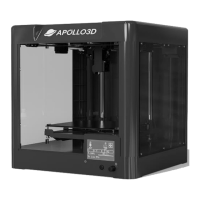
Do you have a question about the APOLLO3D SATURN 10 and is the answer not in the manual?
Outlines terms, conditions, and limitations of warranty and liability.
Details the device's compliance with FCC rules regarding radio frequency emissions.
Provides initial guidance on printer service procedures and component usage.
Details accessories included with the printer, such as filament and needle for nozzle.
Lists technical specifications like build volume, layer thickness, nozzle diameter, and supported materials.
Defines key terms and components used in the user guide, like Build Volume and Extruder.
Provides instructions on how to safely unpack the 3D printer and its components from the box.
Covers warranty terms for accessories and printing materials.
Guides users through the process of leveling the printer's heat-bed for optimal first layer adhesion.
Explains the step-by-step procedure for inserting and removing filament from the extruder.
Discusses filament types, compatibility, and settings for optimal printing performance.
Details how to initiate a print job from an SD card or USB stick after setup.
Provides instructions and warnings on safely removing printed models from the build plate.
Explains the main screen, prepare menu, and control options for the Saturn10.
Details functions related to control, preheating, and printing from SD card on Saturn10.
Details the Ready Print and Preheat functions on the Saturn10P touchscreen.
Explains how to use the touchscreen for moving axes and managing filament extrusion on Saturn10P.
Covers homing, leveling, and accessing general settings on the Saturn10P touchscreen.
Details fan, language settings, and selecting print files on the Saturn10P.
Guides on acquiring, installing, and configuring slicer software like Ultimaker Cura.
Guides on saving sliced 3D models to a file format compatible with the printer.
Covers common problems, their causes, and corrective actions for printer maintenance.
Provides a detailed procedure for clearing blockages in the 3D printer's extruder.
Offers tips for regular upkeep, cleaning, and optimal usage of the 3D printer.
 General
| Brand | APOLLO3D |
|---|---|
| Model | SATURN 10 |
| Category | 3D Printers |
| Language | English |

 To Next Page
