8
Operation – Apple Devices
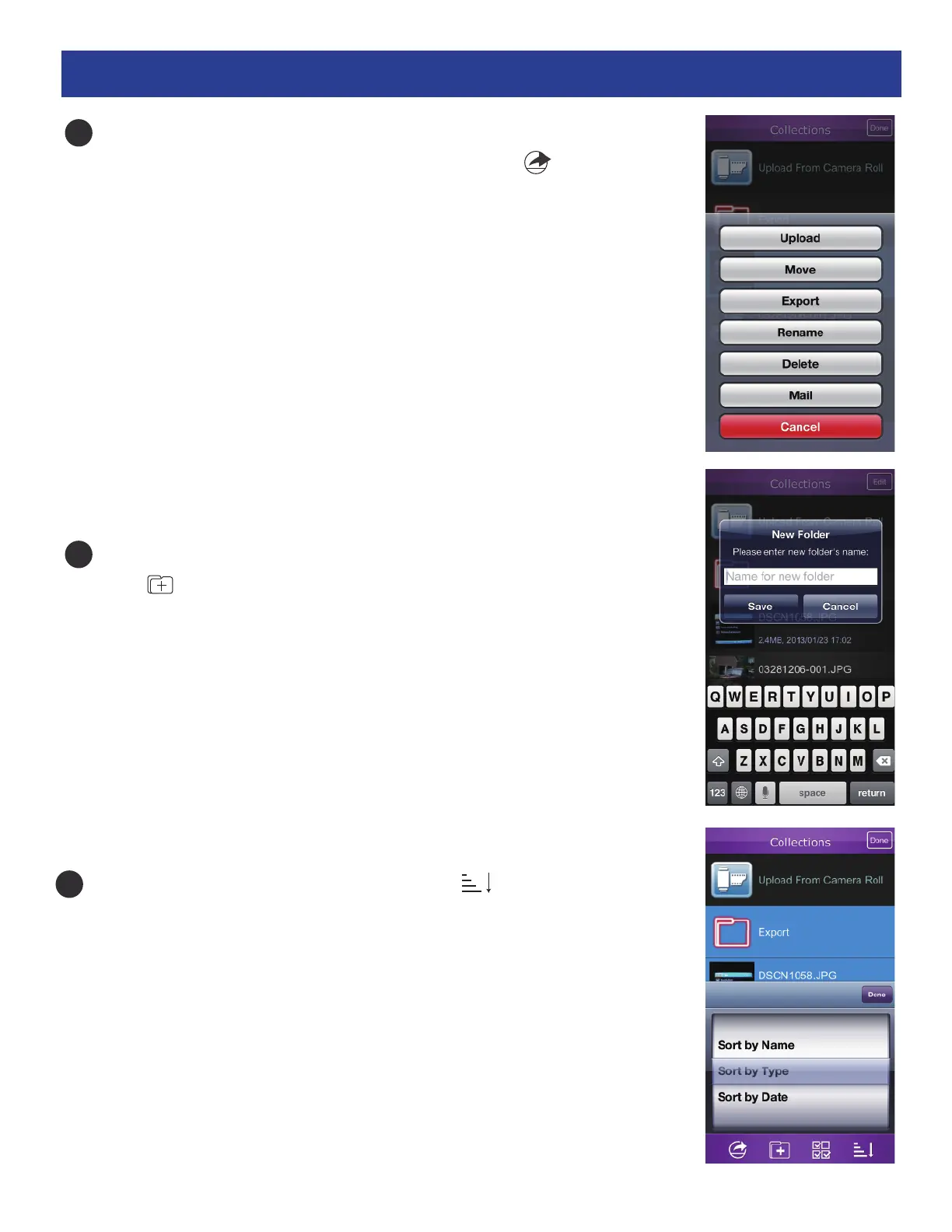
x Miscellaneous Editing Options: While in the Collection list, tap
Edit , tap on the desired file(s) and then click the icon. This will
bring up buttons which perform the following functions:
Upload: Tap to upload the file into another location.
Move: Tap to move the file into another folder.
Export: Tap to export the file into a program like Dropbox.
Rename: Tap to rename the file.
Delete: Tap to delete the file.
Mail: Tap to email the file.
Cancel: Tap to cancel.
Create a Folder: While in the Collection list, tap Edit and then tap
the icon. This will allow you to create and name a new folder.
Sort: While in the Collection’s list, tap the icon to bring
up the sorting options (Name,Type or Date).
4
5
6


 To Next Page