10
Operation – Android Devices
Using the Wi-Copy as a Card Reader
Screens may vary slightly depending on the Android device
you are using.
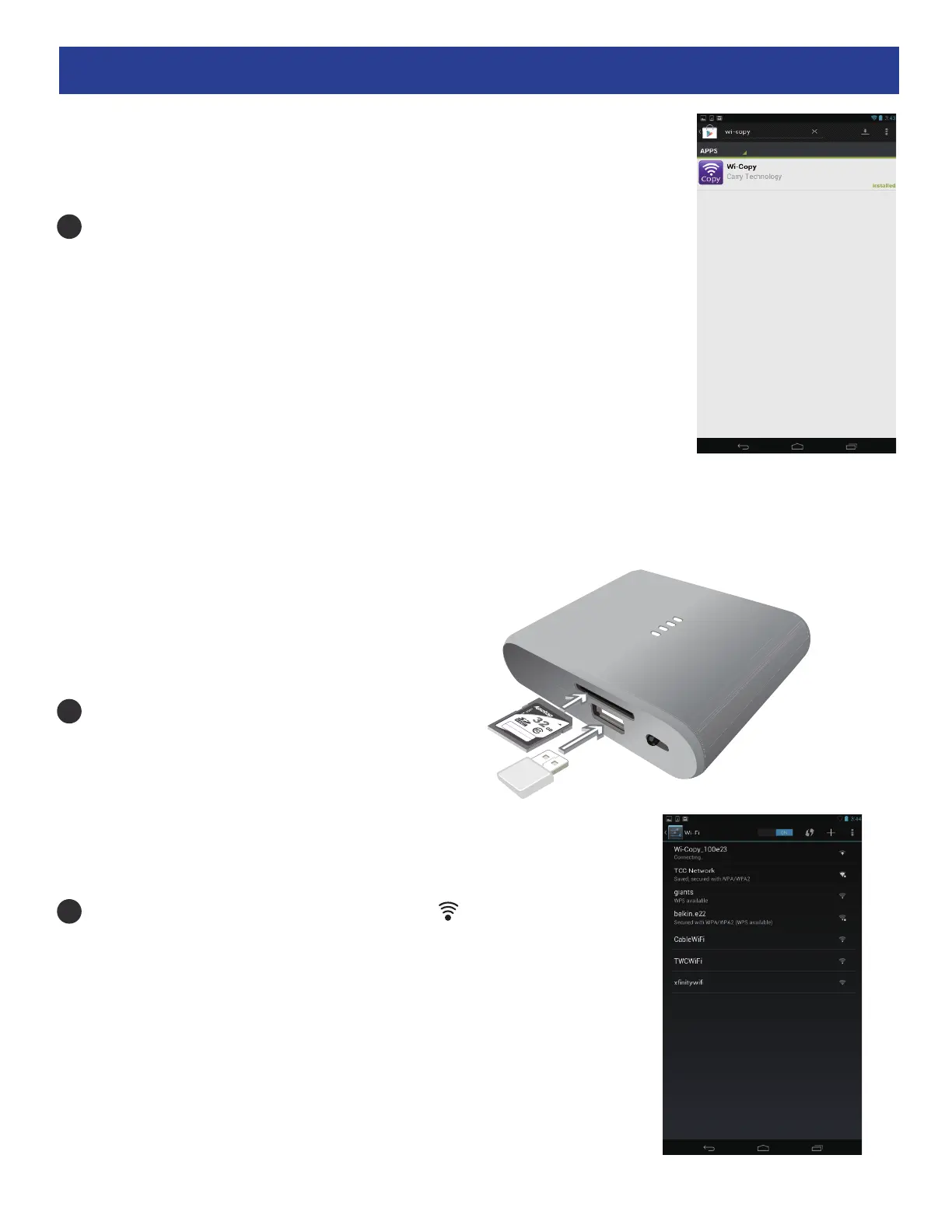
Insert an SD Card into the SD Card slot OR
insert a USB storage device into the USB port.
Slide the Function switch to the position ; the Power
Indicator will light and after a short while, will blink blue
and the Wi-Copy will be available. Enter the Settings App on
your device, then select Wi-Fi. From this Wi-Fi list, select
Wi-Copy_xxxxxx (x represents random numbers/letters).
Download the Wi-Copy App from the Google Play Store.
1
2
3


 To Next Page