15
Operation – Android Devices
Copying Files From One Device to Another
Screens may vary slightly depending on the
ANDROID device you are using.
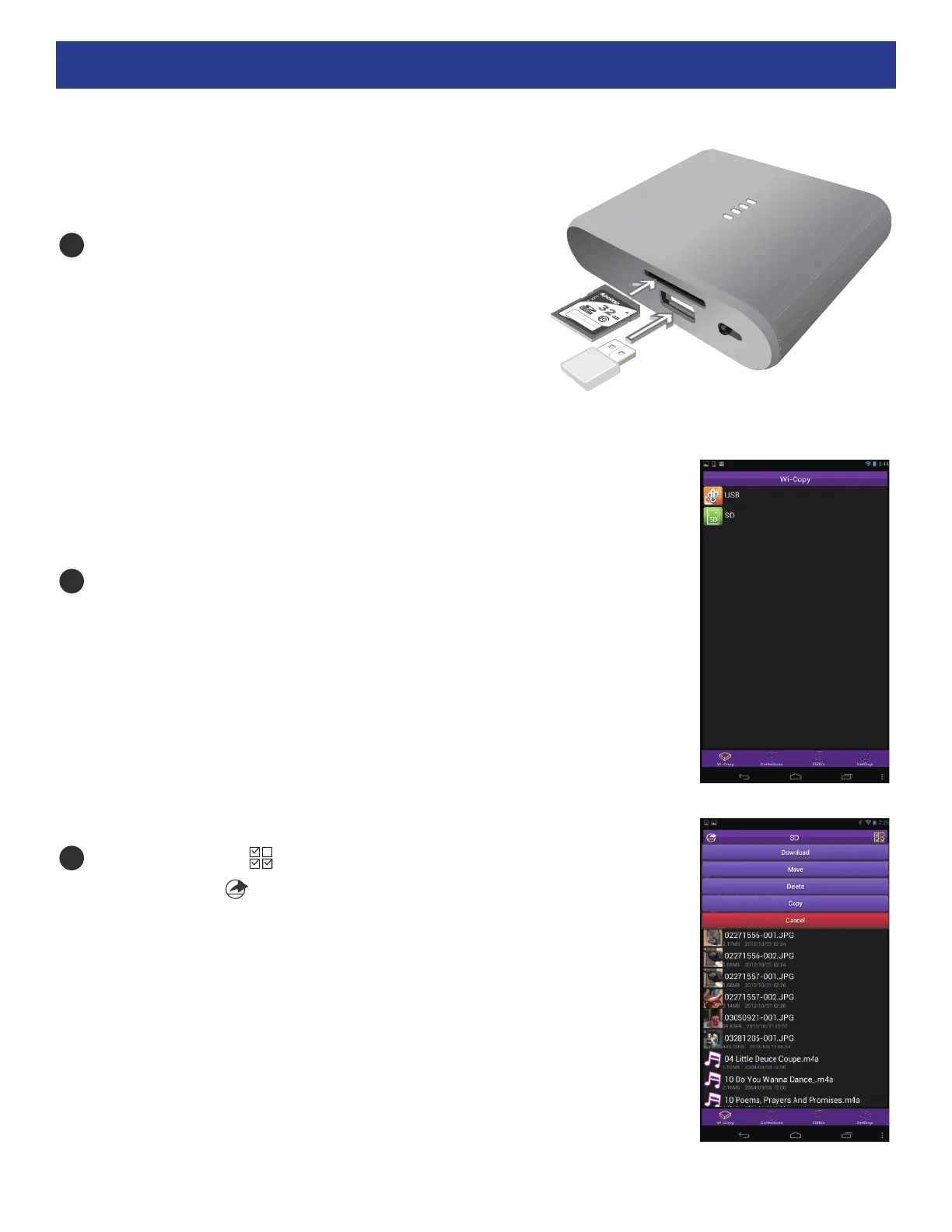
IInsert an SD Card into the SD Card slot AND a
Flash Drive into the USB port. Turn on the unit
and open the Wi-Copy App as previously described.
To Copy: Tap the icon (top right), tap on the desired file and
then click the icon (top left). Tap Copy and then tap the
other drive. After choosing the folder, click Copy to finish copying
the file.
Note: Tap the Status icon at the bottom of the screen to show
the status of any transferring files.
Click on the device you want to copy a file from, USB or SD.
1
2
3


 To Next Page