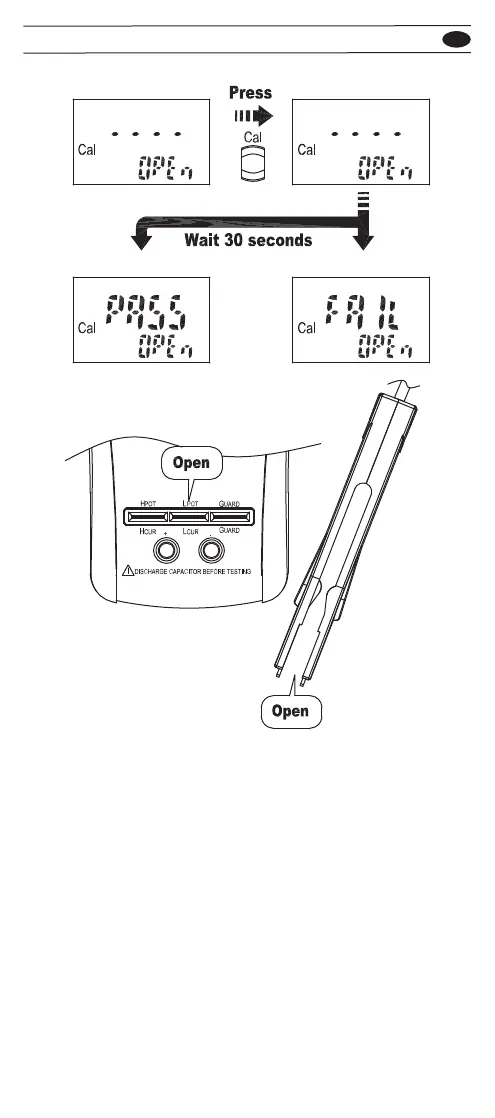
When “OPEn” appears on the sub display, make the terminal
or the SMD test probe open, and press the CAL button to start
open calibration. About 30 seconds later, the result of the open
calibration appears on the main display. If the result is pass,
press the CAL button to next step. If the result is fail, press the
CAL button to exit the function.
EN
703


 To Next Page