600840-000031 Stratus ES/ESG Installation Instructions
Rev. 2.2
Last Revised: February 20, 2018
Page 32 of 45
3. Activate and deactivate each discrete input and verify that the proper state is
reflected on the display.
• External standby: Ground each transponder’s external standby pin and verify that
the state is “inactive.”
• External IDENT: Activate the external switch and verify that the state is “active.”
• Squat switch: Activate the squat switch and verify that the correct state is shown.
5.3. Analog inputs
1. Enter into configuration mode on Stratus ES/ESG.
2. Press FUNC or the arrow keys to advance to the analog input diagnostics screen.
The screen displays the real-time values read from the lighting bus and ambient light
sensor.
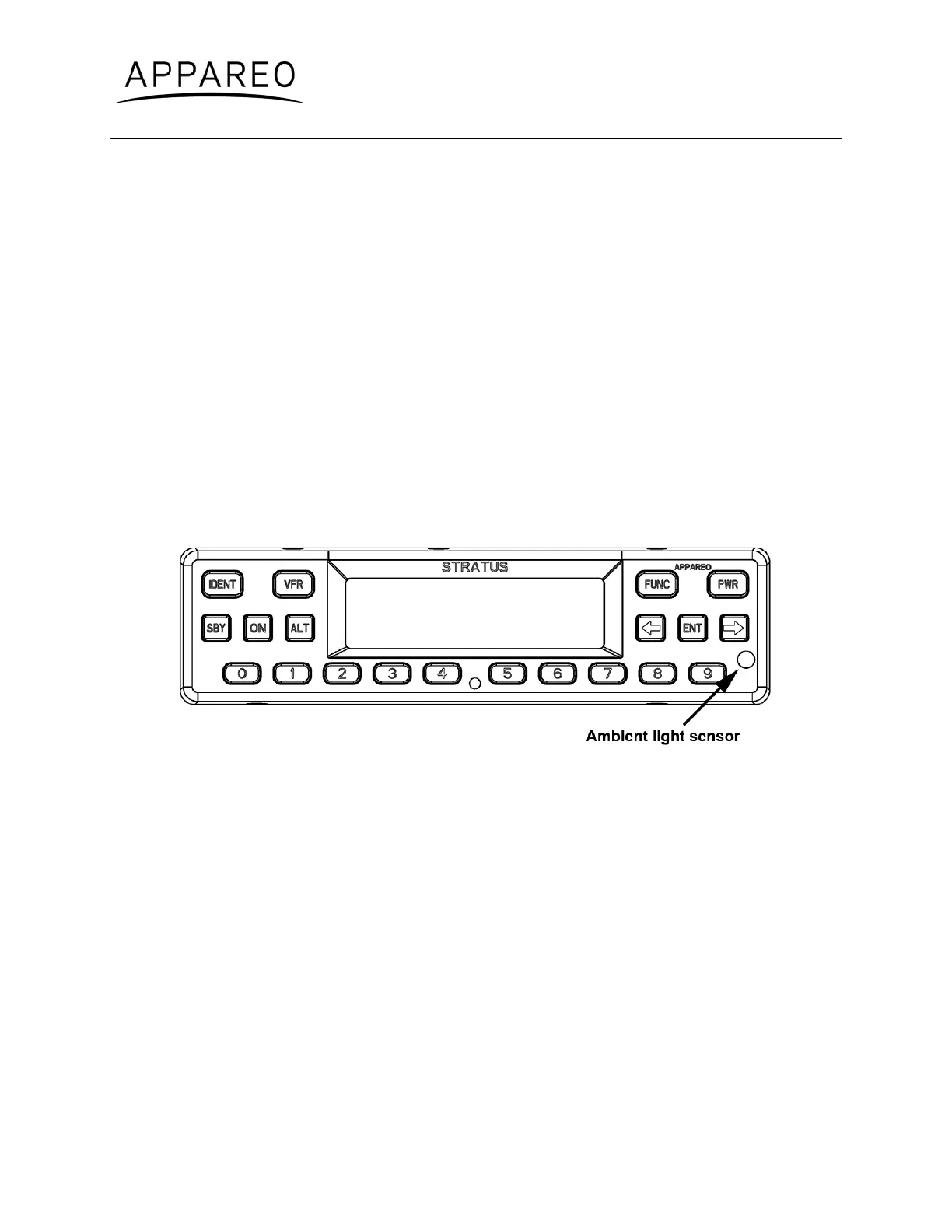
3. Block the ambient lighting sensor input. Verify that the signal percentage drops.
Figure 3: Ambient light sensor location
4. Shine a light on the ambient light sensor. Verify that the signal percentage increases.
5. If you are using the 14V or 28V lighting bus: Adjust the lighting bus input to minimum.
Verify that the displayed value is 0%.
6. If you are using the 14V or 28V lighting bus: Adjust the lighting bus input to
maximum. Verify that the displayed value is 100%.
5.4. Altitude
1. Enter into configuration mode on Stratus ES/ESG.
2. Press FUNC or the arrow keys to advance to the altitude diagnostic screen.
3. Verify that the altitude displayed is correct to your geographic location.


 To Next Page