Here are some published CSS guides:
 CSS: The Denitive Guide, 3rd Edition, by Eric Meyer. O’Reilly Media, Inc. 2006.
 CSS Mastery: Advanced Web Standards Solutions, by Andy Budd, Simon Collison, and
Cameron Moll. Friends of ED. 2006.
Editing Property List Files
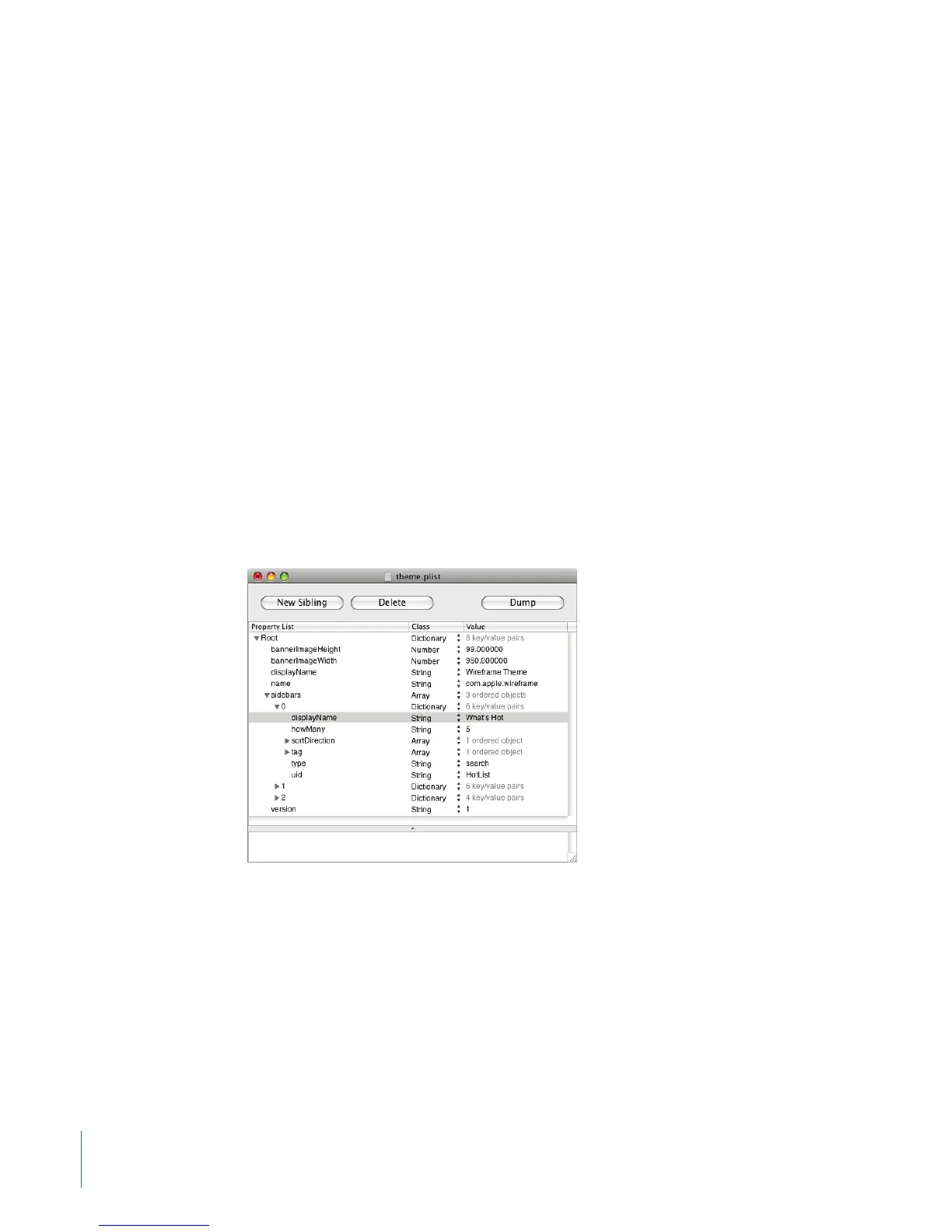
Every theme has a theme.plist le, which controls:
The name of the theme Â
Whether the theme is publicly available Â
The height and width of the banner Â
Sidebar properties such as the name, type and number of links, and sort order Â
After making changes to the theme.plist le, you must restart the web service or
restart the server. Because this can disrupt users, you should create, edit, and test
themes on a test computer and then copy them over to the server.
About Property List Editor
Property List Editor is a specialized editor for property list les.
In order to edit a theme.plist le using Property List Editor, you must copy it to your
Documents folder. When you nish editing the theme.plist le, you must copy it back
to /Library/Application Support/Apple/WikiServer/Themes/theme_name.wikitheme/.
Property List Editor is located on the Mac OS X Server v10.5 Administration Tools CD, in
/Utilities/. You can run it from the CD or copy it to a dierent location.
14 Chapter 1 Customizing How the Wiki Looks



 To Next Page