20 Chapter 1
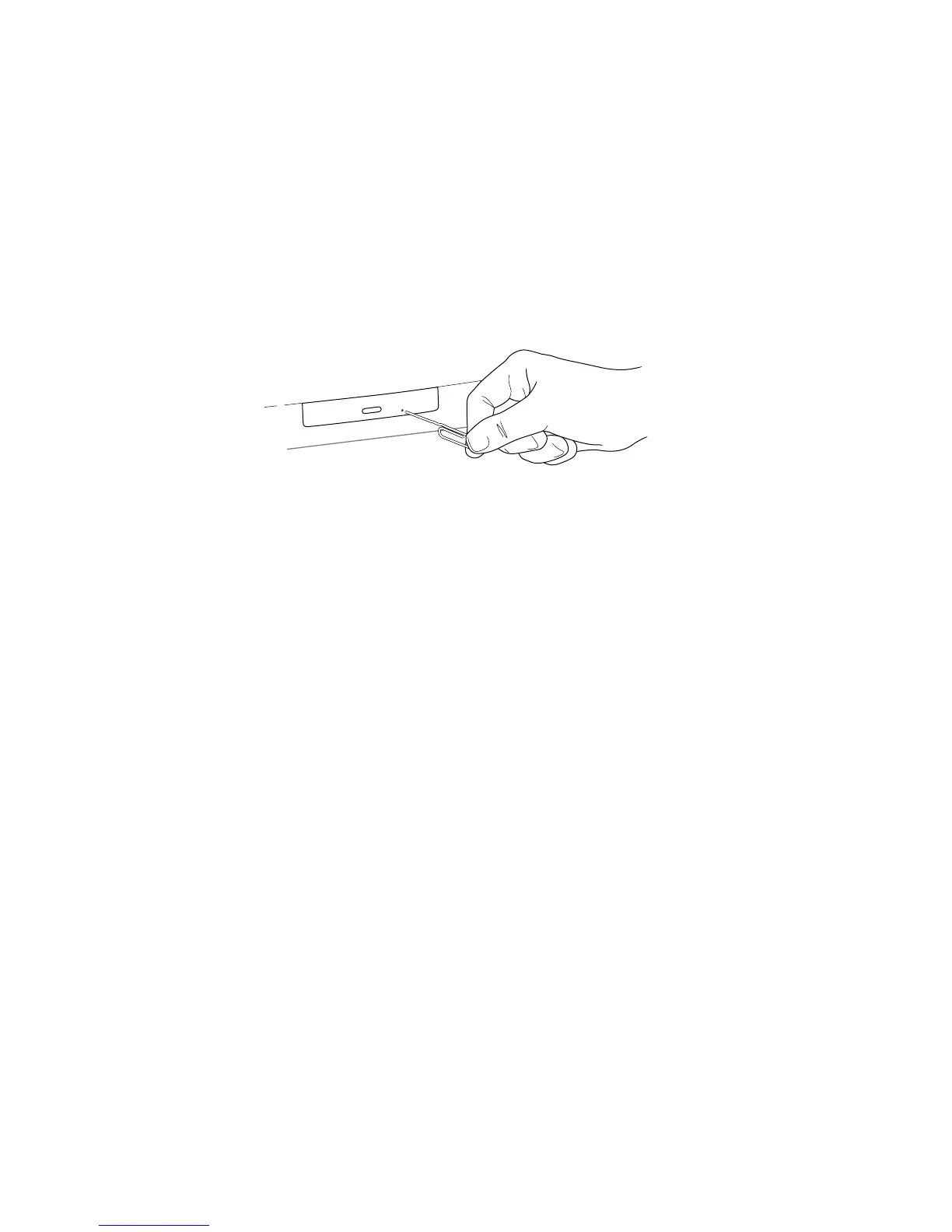
Remove a Jammed Disc
The normal way to eject a CD is to drag its icon to the Trash.
If a CD or DVD disc is jammed, shut down your computer. Locate the emergency ejection
hole near the disc drive’s opening. (For more information, see the documentation that came
with your computer.) Carefully insert the end of a straightened paper clip and push gently
but firmly until the tray is released, then pull the paper clip out. Carefully pull the tray open
and remove the disc. Do not use excessive force. (Your drive may not look exactly as shown.)
If the disc is still stuck in the drive or won’t come out of the drive easily, you’ll need to
contact an Apple-authorized service provider. See the service and support information that
came with your computer.
Resolve System Extension Conflicts
System extensions are small programs that add to or extend the capabilities of your
computer’s system software. These programs reside in one of two folders in the System
Folder:
m Extensions folder
m Control Panels folder
The term “extension” refers to items in either folder.
If your computer does not start up properly or behaves erratically, you may have an
extension that is not compatible with another extension, or with an application or system
software.
Verify the Problem
To verify that you have a compatibility problem:
1 Make sure the Caps Lock key is not engaged.
2 Start up your computer while holding down the Space bar.
3 Release the Space bar when the Extensions Manager control panel opens.
Note: If the Extensions Manager control panel doesn’t open after a few minutes, restart the
computer holding the Shift key down, so all extensions are turned off. Then open the
Extensions Manager control panel and continue with the steps below.



 To Next Page