66 Appendix C Connecting to the Internet
Dial-Up Connection
A dial-up modem is the most common way to connect to the Internet. Your modem
uses a method called Point-to-Point Protocol (PPP) to connect to an ISP.
Make sure your modem is plugged into a phone line and you have the information
from your ISP available (see page 63).
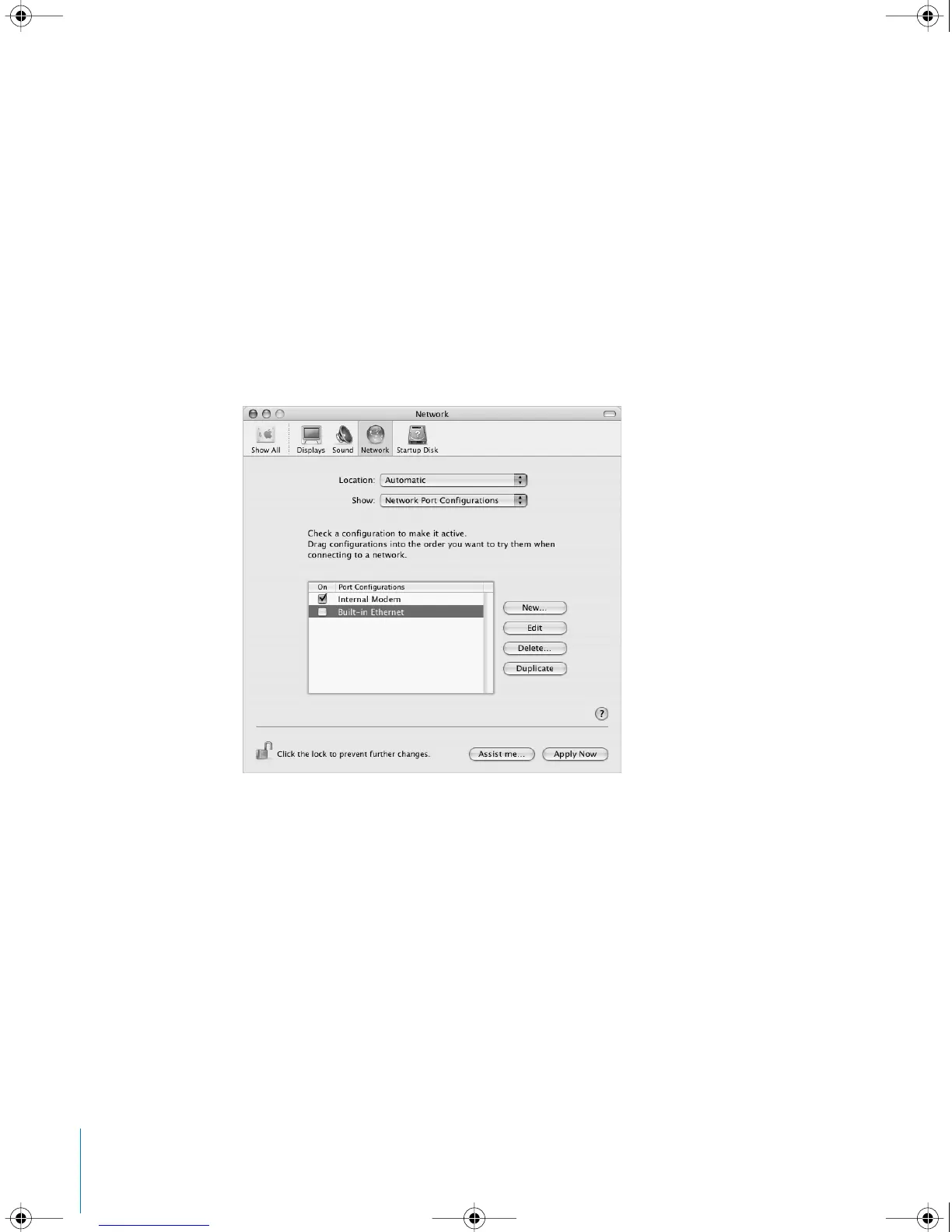
To set up Network preferences for the internal modem port:
1 Choose Apple (K) > System Preferences from the menu bar.
2 Click Network.
3 Choose Network Port Configurations from the Show pop-up menu and select the On
checkbox next to Internal Modem.
4 Drag Internal Modem to the top of the Port Configurations list to make it the preferred,
or primary, network interface.
LL2522.book Page 66 Wednesday, February 18, 2004 11:53 AM



 To Next Page